
interior design specification software
Interior Design Specification Software for FF&E Schedules
Diako Studio helps interior design studios build specification workflow from live project data instead of rebuilding FF&E schedules manually. Product records, finishes, vendor details, approvals, units, tracking status, and proposal context stay connected so the specification layer remains useful from early selection through procurement and billing.
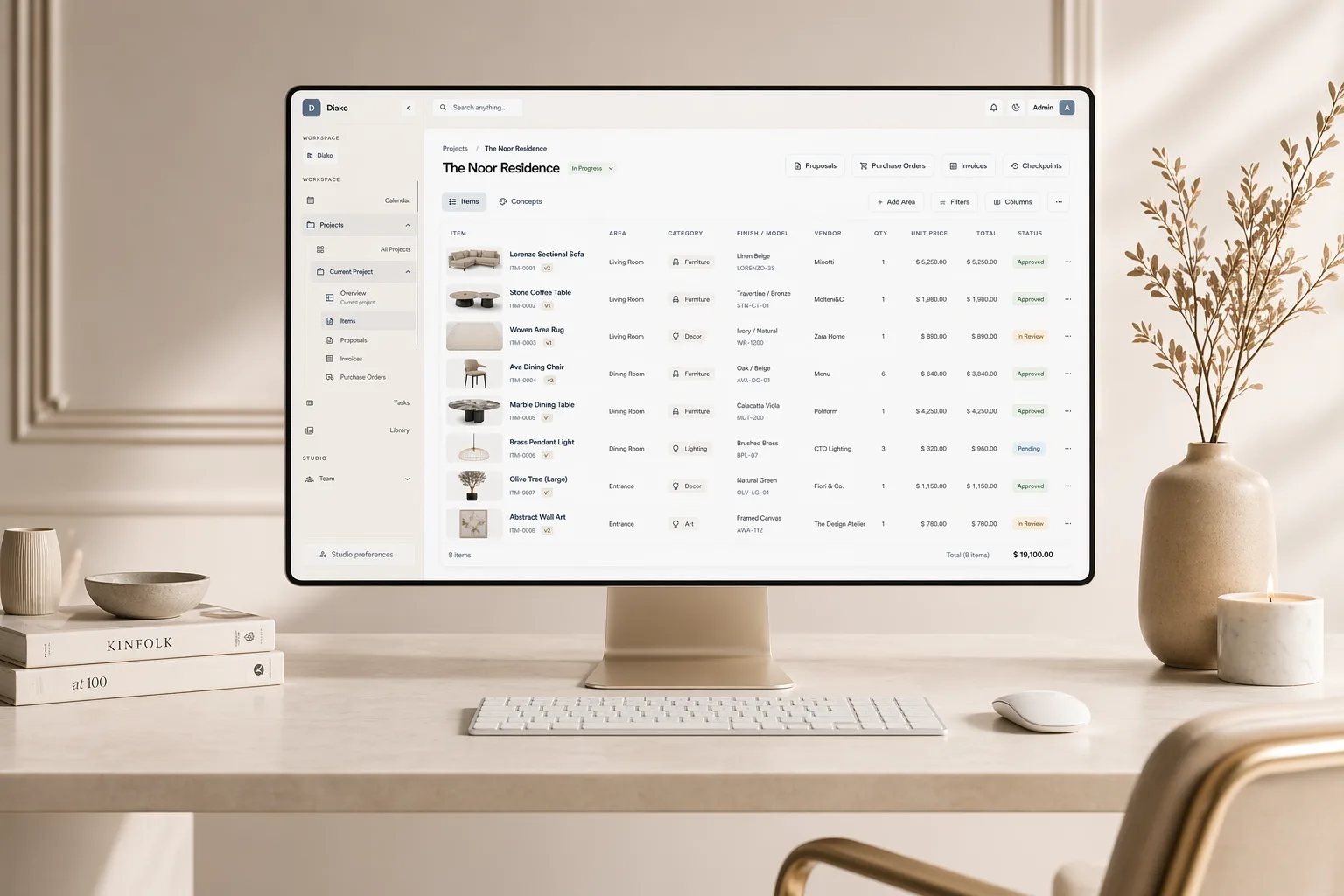
- FF&E-ready item recordsKeep finishes, dimensions, units, vendors, costs, sell prices, notes, and imagery inside one structured specification workflow.
- Version-safe documentationPreserve meaningful item history when specifications change so older approvals, proposals, and invoices remain easier to trust.
- Connected operational follow-throughMove documented selections into proposals, procurement, purchase orders, and invoicing without rebuilding the record.
Specifications and FF&E for professional studio workflow
- Create structured FF&E-ready item records with names, categories, finishes, dimensions, units, costs, sell prices, notes, and imagery in one place.
- Keep specification data tied to the actual project item so proposals, sourcing, purchasing, and invoices do not drift away from the documented selection.
- Preserve version history when a product, finish, price, or image changes so historical decisions stay easier to trust.
- Track procurement and installation readiness with configurable item statuses that stay visible across the specification workflow.
- Reduce copy-paste cleanup by reusing the same product and project data across schedules, approvals, and downstream operations.
Built to support connected studio handoffs
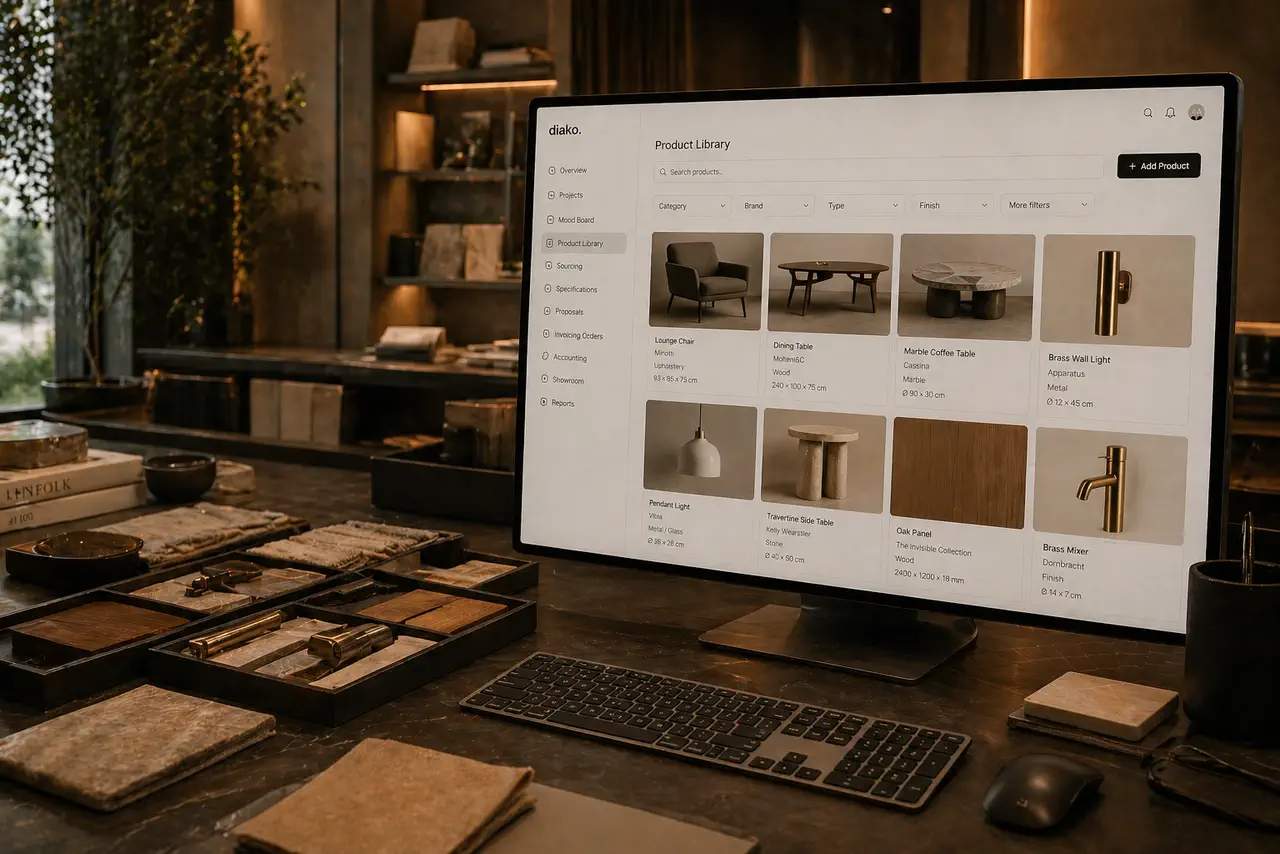
- Build or reuse a product record with category, vendor, unit, finish, pricing, and image data already structured for studio use.
- Add the item into the project and complete the specification details that make it review-ready and operationally useful.
- Submit or approve the item so the studio knows which selections are ready for proposal, sourcing, and commercial follow-through.
- Use version-safe edits when the specification changes, preserving historical context instead of overwriting the record blindly.
- Track the item through procurement statuses, vendor coordination, purchase orders, and invoice-ready workflow from the same connected record.
Inside the specification workflow
How Diako turns interior design specifications into connected studio data
This workflow is not just about making a cleaner schedule. It gives the studio a structured item record that can support design review, vendor coordination, approvals, purchasing, and billing without falling apart as the project evolves.
Build specification-ready selections from richer product and project data
Specification workflow starts with item structure, not with a blank spreadsheet. Diako keeps product names, categories, imagery, finishes, dimensions, quantities, units, vendor details, notes, pricing, and room context closer to the live project item so the studio can document selections in a way that is useful both creatively and operationally.
- Capture the details that usually get scattered across mood boards, supplier PDFs, spreadsheets, and inbox threads.
- Keep specification records attached to the live project and room context instead of turning them into disconnected documents.
- Use the same structured item as the base for review, sourcing, commercial workflow, and future reuse.
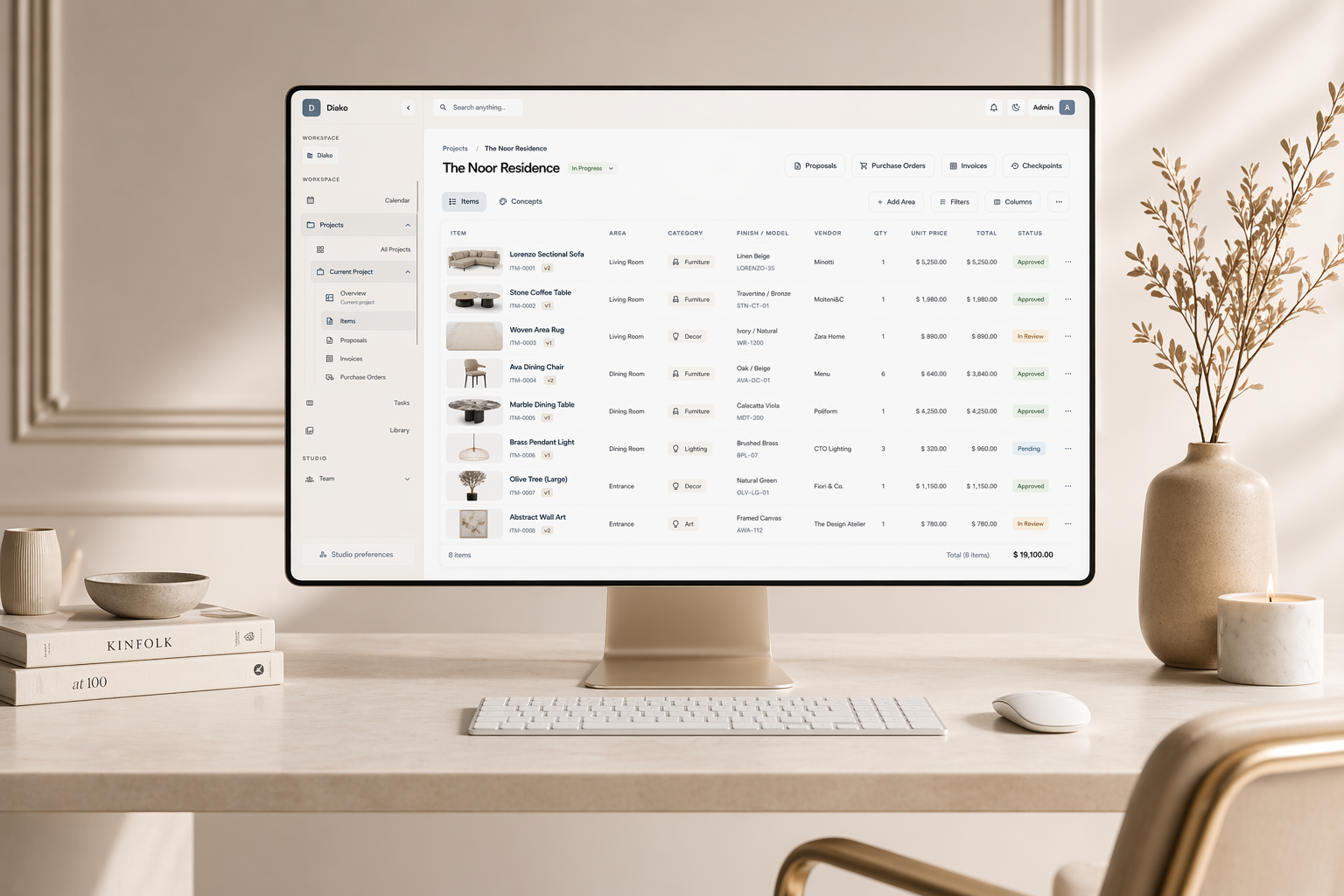
Protect specification history when products, finishes, or pricing change
Real projects rarely stay frozen. A vendor changes a finish, a designer swaps an image, or a price update lands after a proposal has already been sent. Diako supports version-aware item history so teams can evolve the current specification without losing sight of which record supported an earlier approval, proposal, or invoice.
- Create cleaner historical continuity when meaningful item details change over time.
- Reduce risk around older commercial records that still depend on a prior version of the selection.
- Give admins and reviewers more confidence that approved items are traceable, not overwritten blindly.
Keep procurement status and vendor follow-through attached to the documented item
A specification becomes far more valuable when it does not stop at documentation. Diako keeps vendor context and item tracking connected so the team can see whether a documented selection is awaiting approval, ready to order, in production, delivered, or moving toward installation. This reduces the gap between FF&E documentation and actual procurement execution.
- Use configurable item tracking statuses that match the studio procurement workflow.
- Keep vendor and sourcing context tied to the same record the design team already documented.
- Support clearer handoff from specification work into purchase orders and installation follow-up.
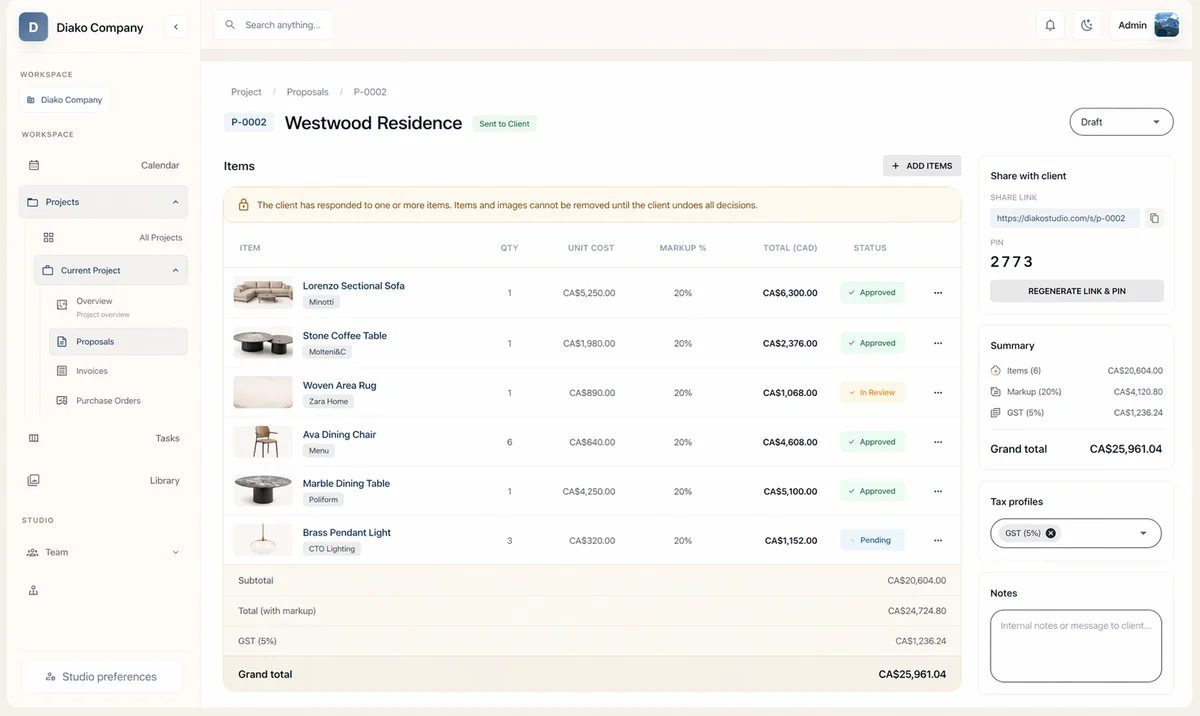
Carry specification data into proposals and invoices without re-entering the selection
Studios often lose time because the documented item is not the same item that later appears in the proposal or invoice. Diako reduces that gap by keeping approved specification records connected to downstream commercial steps. The result is less duplicate entry, fewer mismatches, and a clearer chain from selected item to client-facing and financial documents.
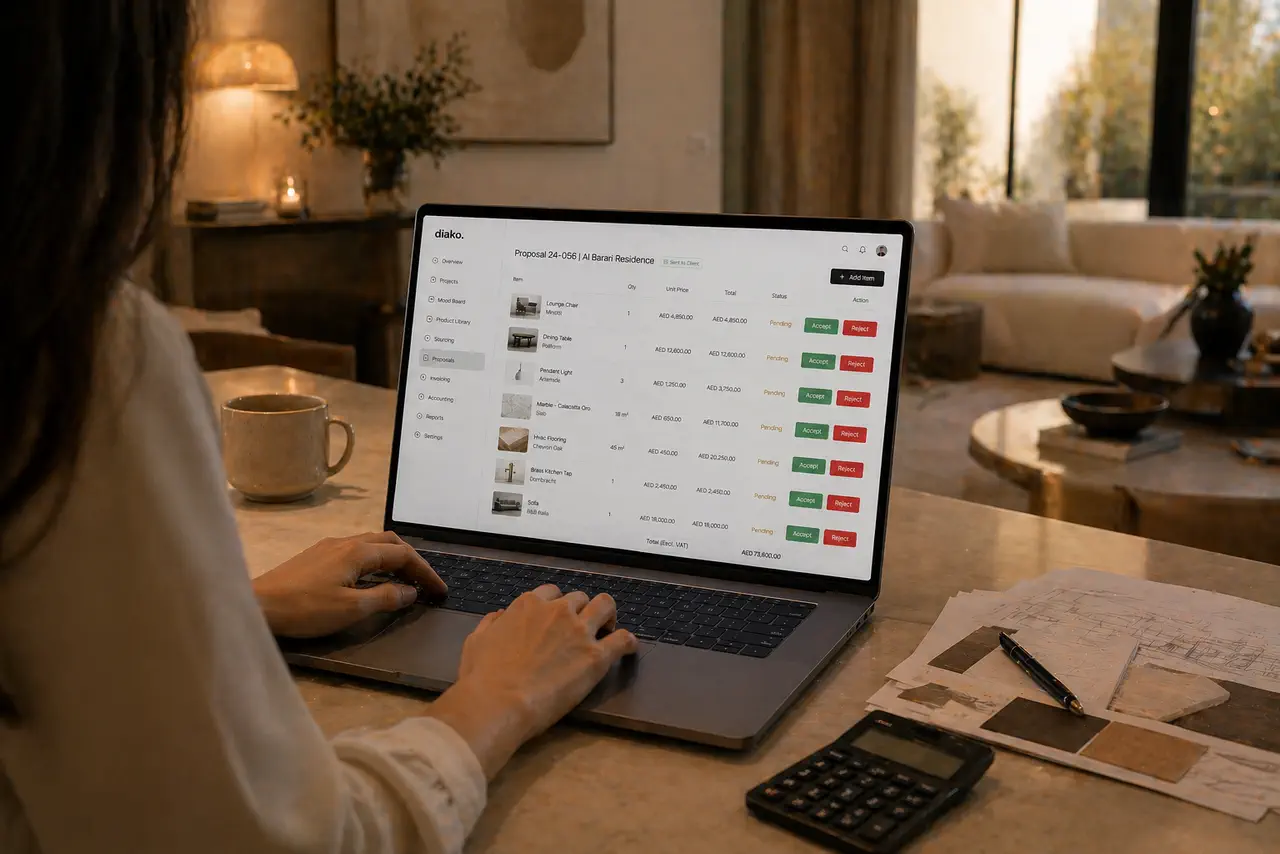
- Move approved selections into proposals with imagery, quantities, and pricing context already closer at hand.
- Support purchasing and invoicing from the same documented source record instead of rebuilding line items later.
- Keep the studio aligned on what was specified, what was approved, and what has already moved into execution.
Reduce friction inside the studio workflow
- FF&E schedules assembled from disconnected spreadsheets, PDFs, emails, and vendor files.
- Specification documents drifting out of sync when product details, finishes, or prices change later.
- Teams retyping the same selection data into proposals, sourcing sheets, purchase orders, and invoices.
- No reliable history showing what changed on an item and which version supported an older proposal or invoice.
- Procurement and installation teams lacking a shared status view tied to the documented specification itself.
Works better because it connects to the surrounding workflow
Related features
Explore the connected modules around this workflow
Each part of the platform is stronger because it links to the stages before and after it.
Product Library
Keep products, finishes, suppliers, and pricing in a reusable library the team can carry into specs and sourcing.
Explore this feature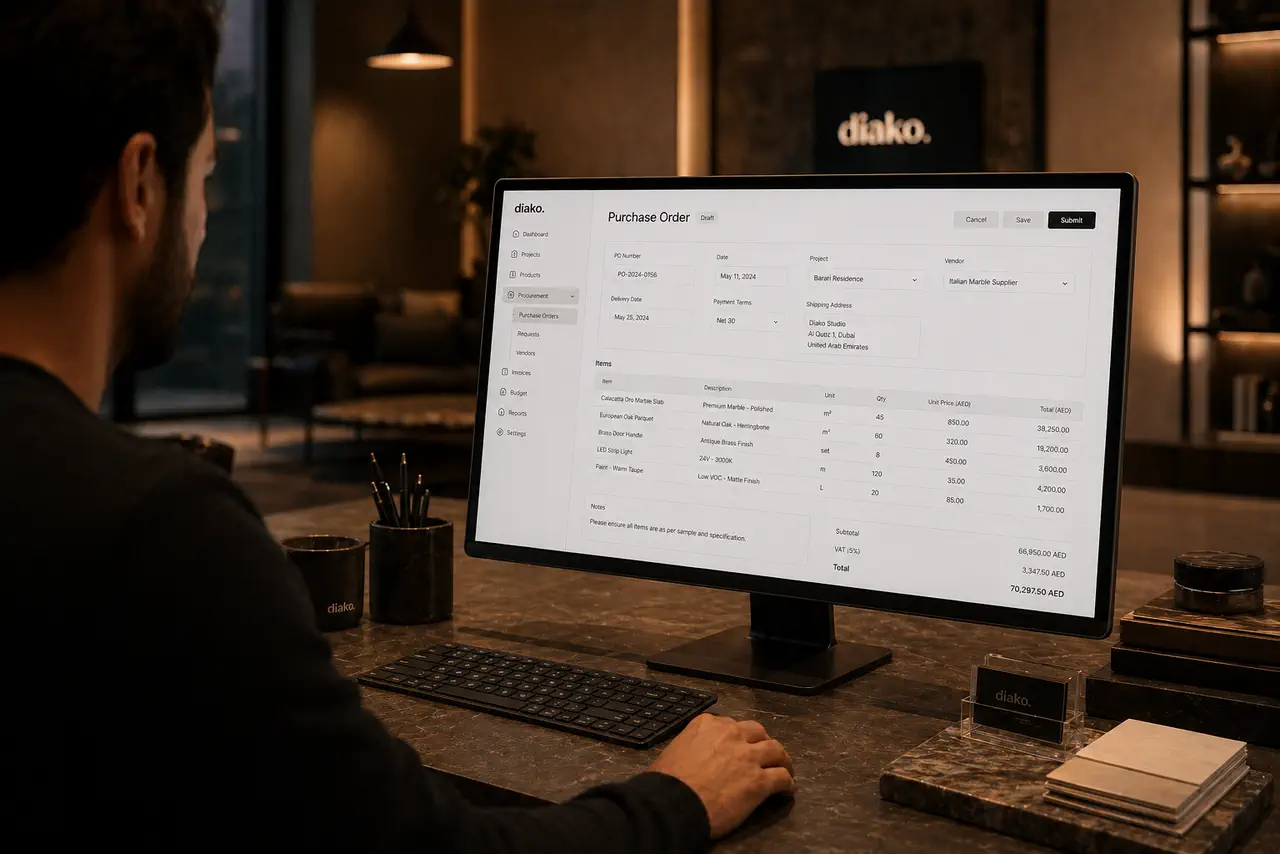
Product Sourcing
Manage sourcing with organized vendor records, approved selections, and a cleaner handoff into ordering.
Explore this featureProposals
Build client proposals from approved selections with secure review, item-level approvals, tax breakdowns, and a cleaner handoff into purchasing and invoicing.
Explore this featureFAQ
Questions studios often ask about this workflow
Clear answers for teams evaluating whether this part of the platform fits their process.
Can this support FF&E schedule workflows for interior design studios?
Yes. Diako is designed to support FF&E-style specification workflows using connected project items, product data, imagery, pricing, vendors, units, and status information.
Does the specification workflow stay tied to sourcing and proposals?
Yes. The same item record can stay connected to approvals, proposals, procurement, purchase orders, and invoicing so the documentation does not become a dead-end spreadsheet.
Can teams keep a history of specification changes?
Yes. Item versioning helps preserve older states when important product, finish, image, or pricing details change, which is especially useful when past proposals or invoices still depend on an earlier version.
Can specifications include vendor and tracking information?
Yes. Specification records can stay connected to vendor context and configurable tracking statuses so teams can see where an item sits in procurement or installation workflow.
Is this only useful after design decisions are final?
No. The workflow is useful earlier as well because it helps studios organize selections, prepare review-ready item data, and move cleaner records into approvals and proposals.
Can this reduce duplicate data entry across the studio?
Yes. One of the biggest advantages is reusing the same structured item data across specifications, sourcing, proposals, purchasing, and billing instead of rewriting the selection in each step.
Does it work for solo designers as well as larger firms?
Yes. Solo designers can use it to avoid document sprawl, while larger studios can use the same structure to coordinate teams, vendors, approvals, and procurement visibility.
See it in context
Start free to explore how this feature works inside the full studio platform
Diako Studio is built to help interior design studios connect creative workflow, client approvals, sourcing, proposals, purchase orders, and invoicing in one place.