
interior design proposal software
Interior Design Proposal Software for Studios
Diako Studio helps interior design studios turn approved selections into client-ready proposals without rebuilding the project in a separate document workflow. Pricing, quantities, images, tax profiles, client decisions, and downstream commercial follow-through stay tied to the same approved records, so the proposal becomes a real part of studio operations instead of a disconnected PDF moment.
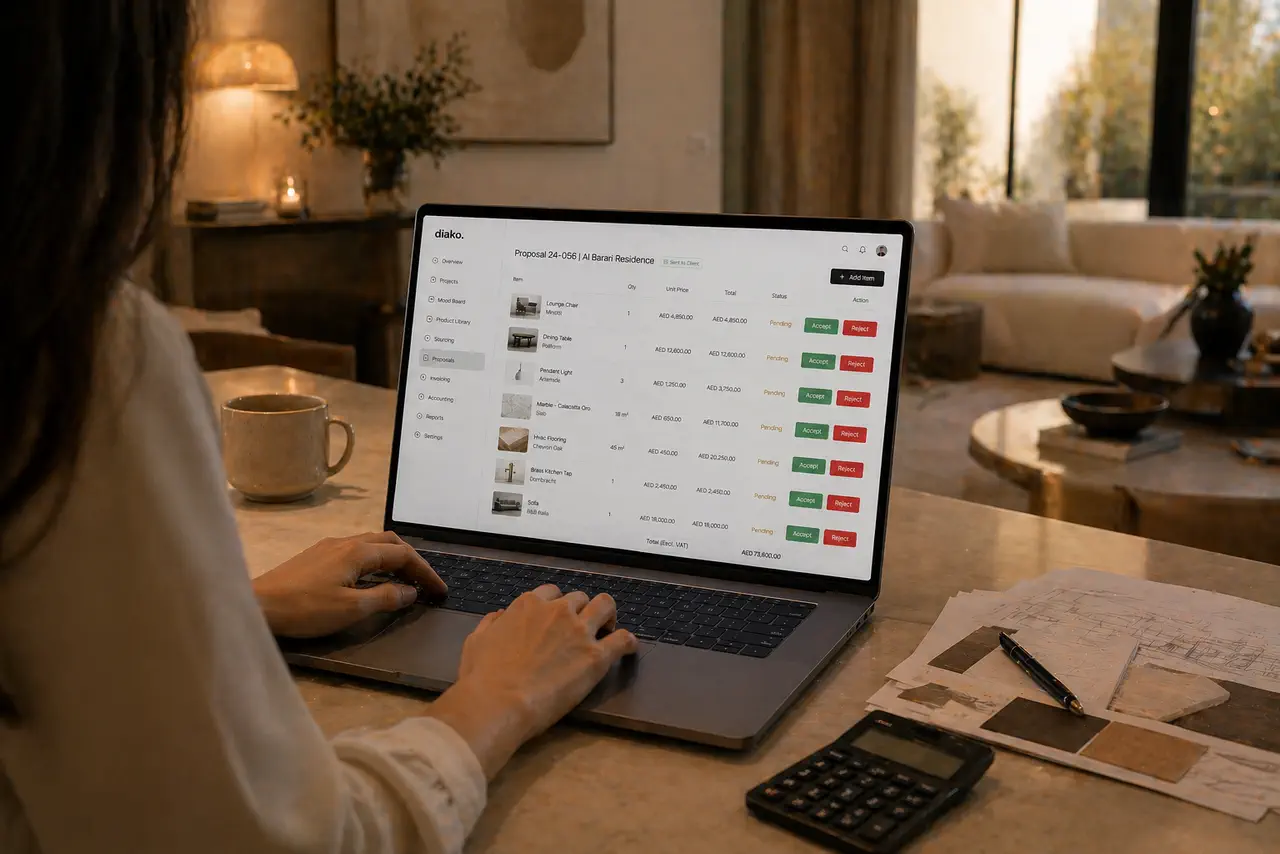
- Secure share link + PINGive clients a polished proposal view without forcing them into a separate account flow.
- Item-level approvalsTrack approved, rejected, and pending items clearly instead of stitching together feedback from email threads.
- Proposal to executionMove approved proposal items into purchase orders and invoicing without rebuilding the commercial record.
Proposals for professional studio workflow
- Build proposals directly from approved project items so quantities, pricing context, and imagery do not need to be recreated manually.
- Share a secure branded proposal link with a unique PIN instead of emailing static files back and forth.
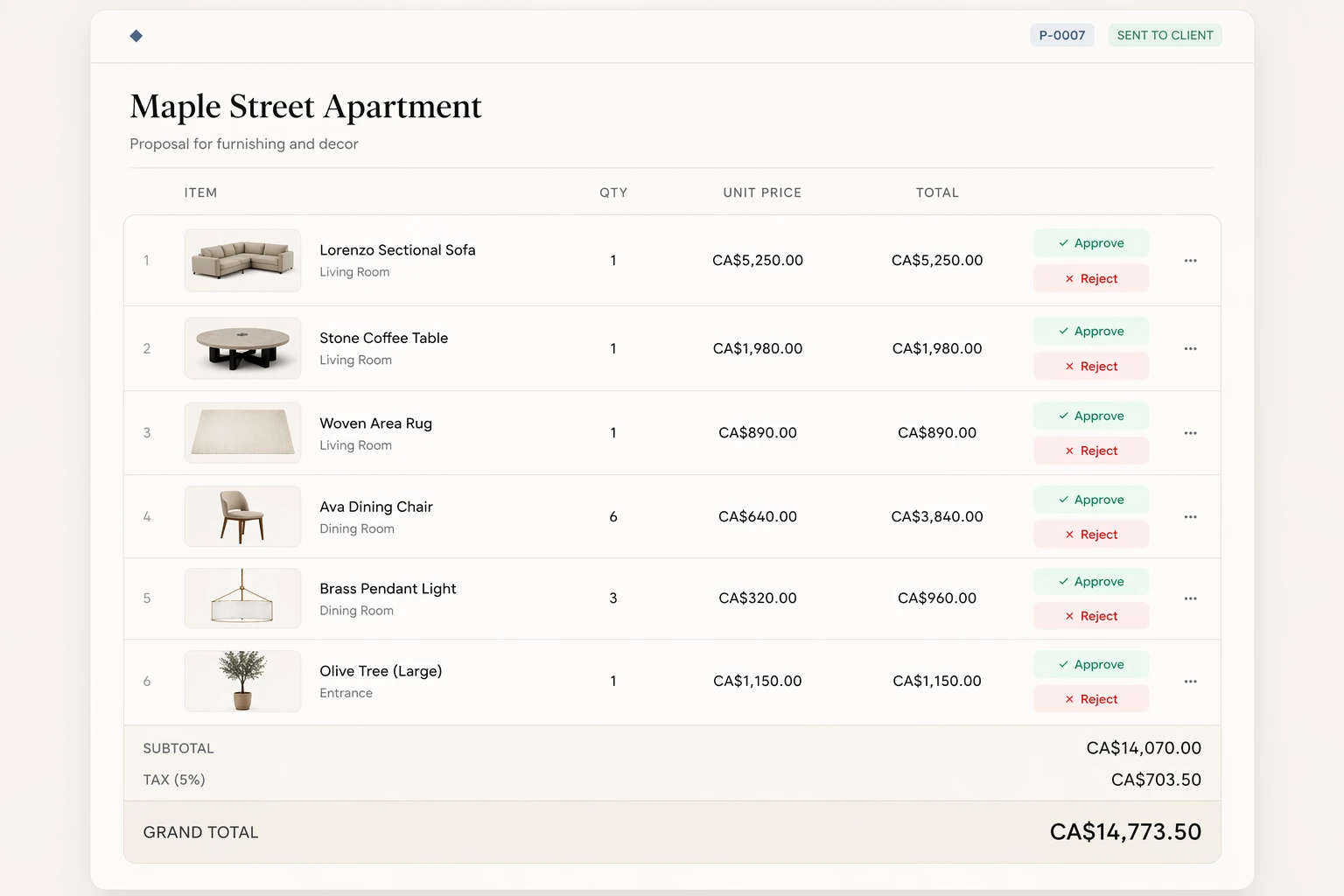
- Let clients approve or reject items individually so the studio can see decisions clearly instead of decoding vague email replies.
- Show a complete commercial breakdown with subtotal, tax lines, and grand total using tax profiles defined in studio settings.
- Preserve item images as proposal snapshots while still supporting multi-image presentation and controlled editorial changes.
- Protect active client review with proposal decision locks that prevent risky edits once feedback starts coming in.
- Move approved proposal items forward into purchase orders and invoicing without rebuilding the same commercial record again.
Built to support connected studio handoffs
- Select approved project items and assemble them into a proposal with quantity, unit price, markup, and item imagery already attached.
- Apply the studio tax profile so clients see subtotal, tax lines, and grand total in a cleaner financial breakdown.
- Generate a unique share link and PIN so the client can open a polished branded proposal view without needing an account.
- Let the client review each item, open images in a full-screen gallery, and approve or reject decisions individually.
- Track approved, rejected, and pending items live inside the studio while proposal locks protect the review state from accidental tampering.
- Carry approved proposal items into purchase orders and invoicing so commercial execution follows the same source decisions.
Inside the proposal workflow
How proposal software works when it is tied to the real project record
The proposal module is not just a nicer document template. It is the commercial decision layer that sits between approved selections and operational follow-through, which is why secure sharing, item-level decisions, tax logic, and proposal locks matter so much here.
Build the proposal from approved project items instead of starting over
Diako builds proposals from approved items already inside the project. Each item carries quantity, unit price, markup, and its image set into the proposal, while tax profiles from the studio settings calculate subtotal, tax lines, and grand total automatically. That makes the proposal feel like a continuation of the design workflow instead of a disconnected commercial spreadsheet.
- Select approved project items instead of retyping line items by hand.
- Carry quantities, prices, markup context, and item images straight into the proposal.
- Apply tax profiles automatically so the proposal presents a clearer commercial breakdown.
Share a branded proposal view where clients can review and decide item by item
Each proposal generates a unique share link and PIN. The client opens a branded proposal page without needing an account, sees item images in a gallery strip, and can open them in a full-screen lightbox. From there, they review each item individually and mark it approved or rejected, which gives the studio much more precise commercial feedback than a general reply to a PDF.
- Use a unique share link and PIN for controlled proposal access.
- Present multiple item images with a gallery and full-screen lightbox view.
- Collect item-level approvals and rejections directly inside the proposal workflow.
Lock risky edits once client decisions begin so the review state stays trustworthy
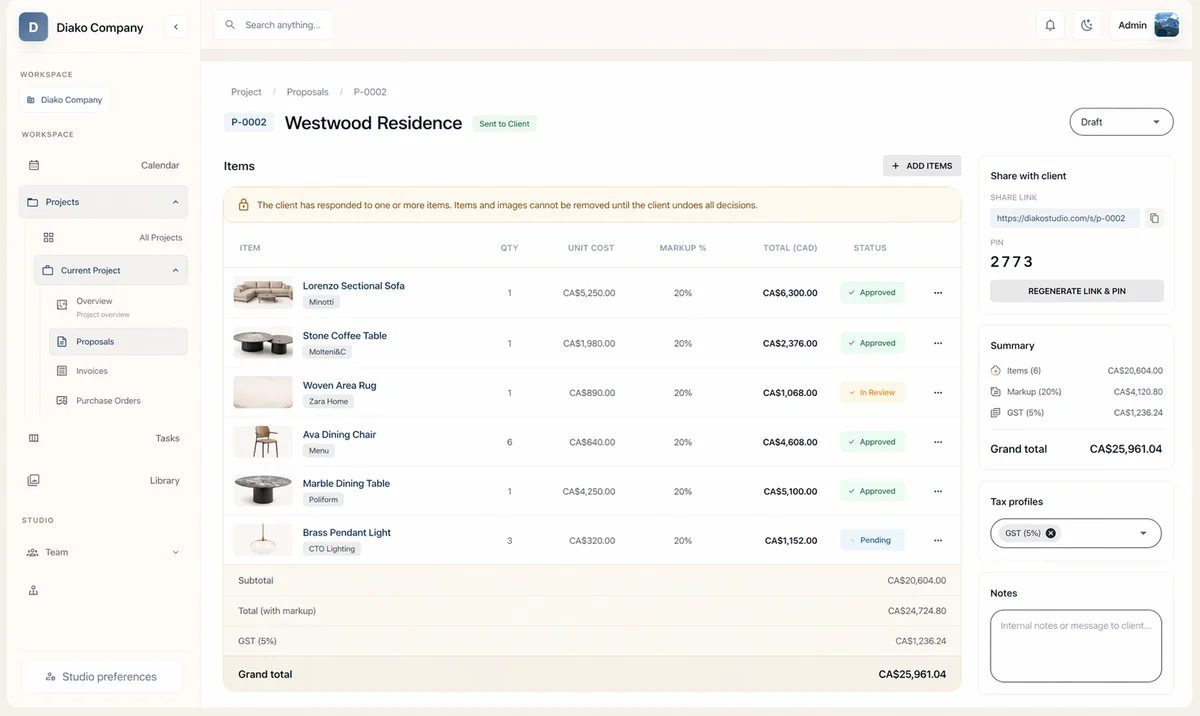
Proposal workflow gets fragile fast if the team can keep editing records while the client is actively approving items. Diako protects against that by locking actions like removing items, removing images, or deleting the proposal after the client starts making decisions. The lock lifts automatically if all decisions are cleared, and backend enforcement protects the rule even if someone tries to bypass the interface.
- Prevent item removal, image removal, or proposal deletion during active client review.
- Lift the lock automatically when the client clears all recorded decisions.
- Protect proposal integrity in both the frontend and backend, not just visually.
Carry approved proposal items into purchasing and invoicing with less rework
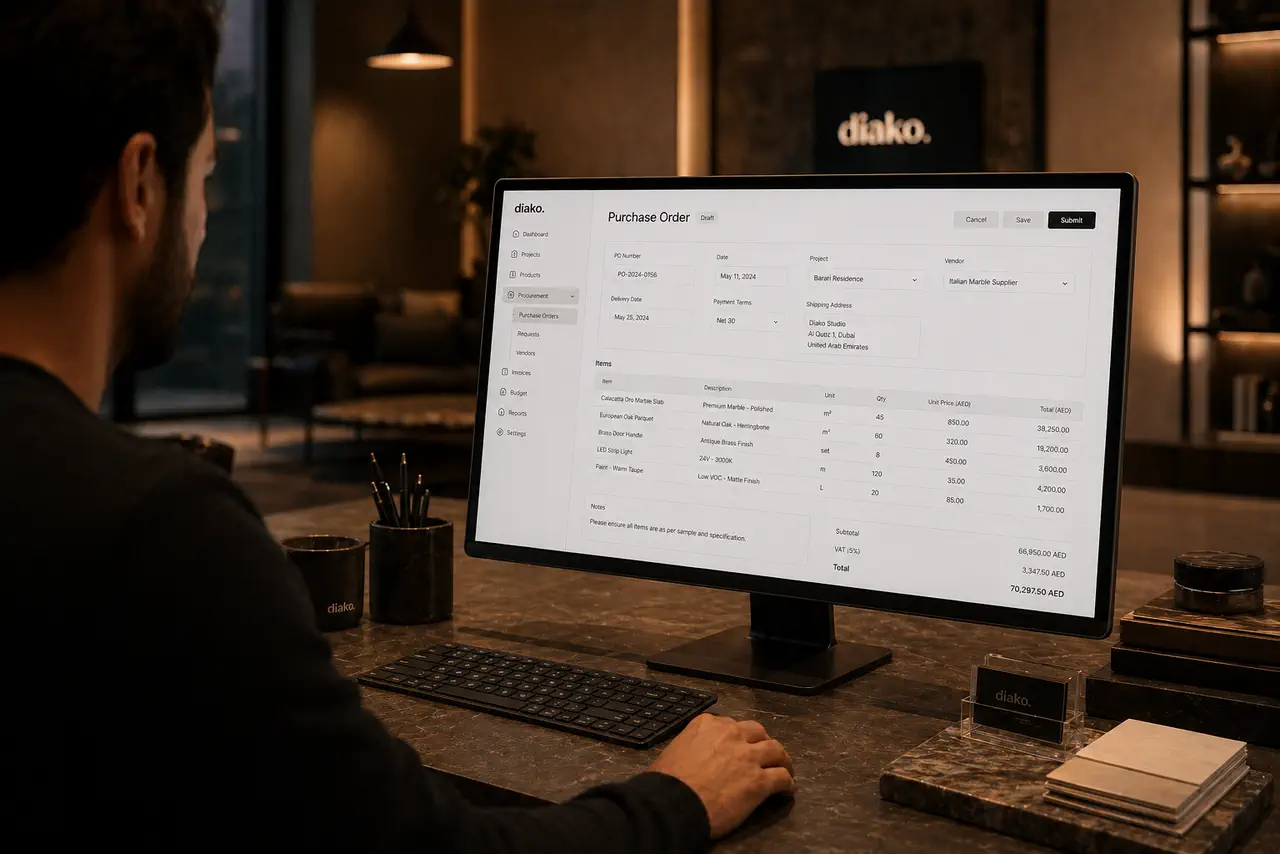
Proposal software is more valuable when the commercial decision does not end inside the proposal itself. Approved items are ready to move into purchase orders and invoicing, so the team does not have to rebuild the same item set for vendors and billing. That keeps the handoff from client decision to operational execution much tighter.
- Move approved vendor costs into purchase orders grouped by supplier.
- Create invoices from client-approved proposal items instead of reconstructing the bill later.
- Keep commercial workflow tied to the same project, approval, and pricing context throughout.
Reduce friction inside the studio workflow
- Proposal documents recreated from scratch after the design team has already approved the actual selections.
- Clients reviewing static files with no clear place to approve, reject, or revisit individual items.
- Proposal pricing and tax breakdowns living in separate spreadsheets or PDFs that drift away from the live project record.
- Studios losing control of proposal integrity once client feedback starts arriving through scattered channels.
- Approved proposal decisions still needing to be rebuilt later for purchasing and invoicing.
Works better because it connects to the surrounding workflow
Related features
Explore the connected modules around this workflow
Each part of the platform is stronger because it links to the stages before and after it.
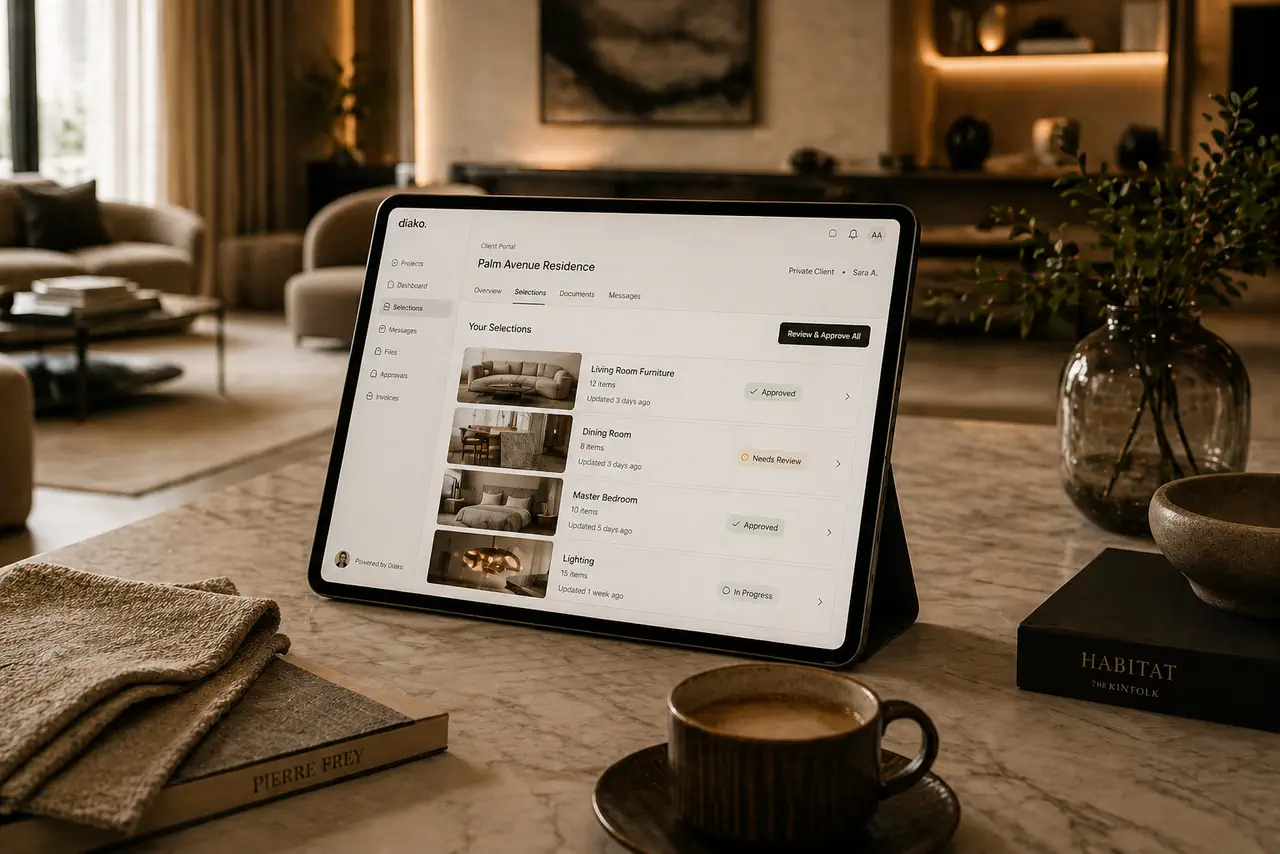
Client Portal
Give clients a polished place to review selections, proposals, and approvals without relying on messy email chains.
Explore this feature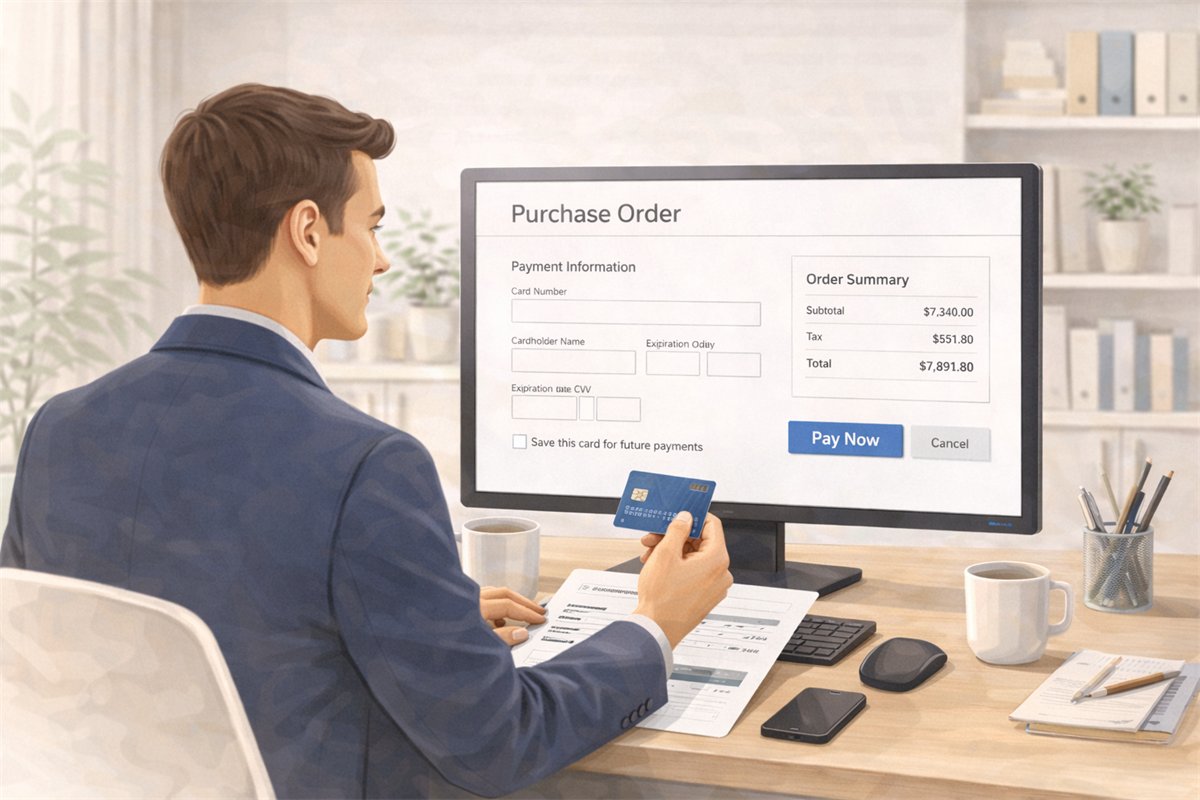
Purchase Orders
Generate purchase orders from approved vendor cost rows with project context, vendor detail, payment status tracking, and a cleaner procurement handoff.
Explore this feature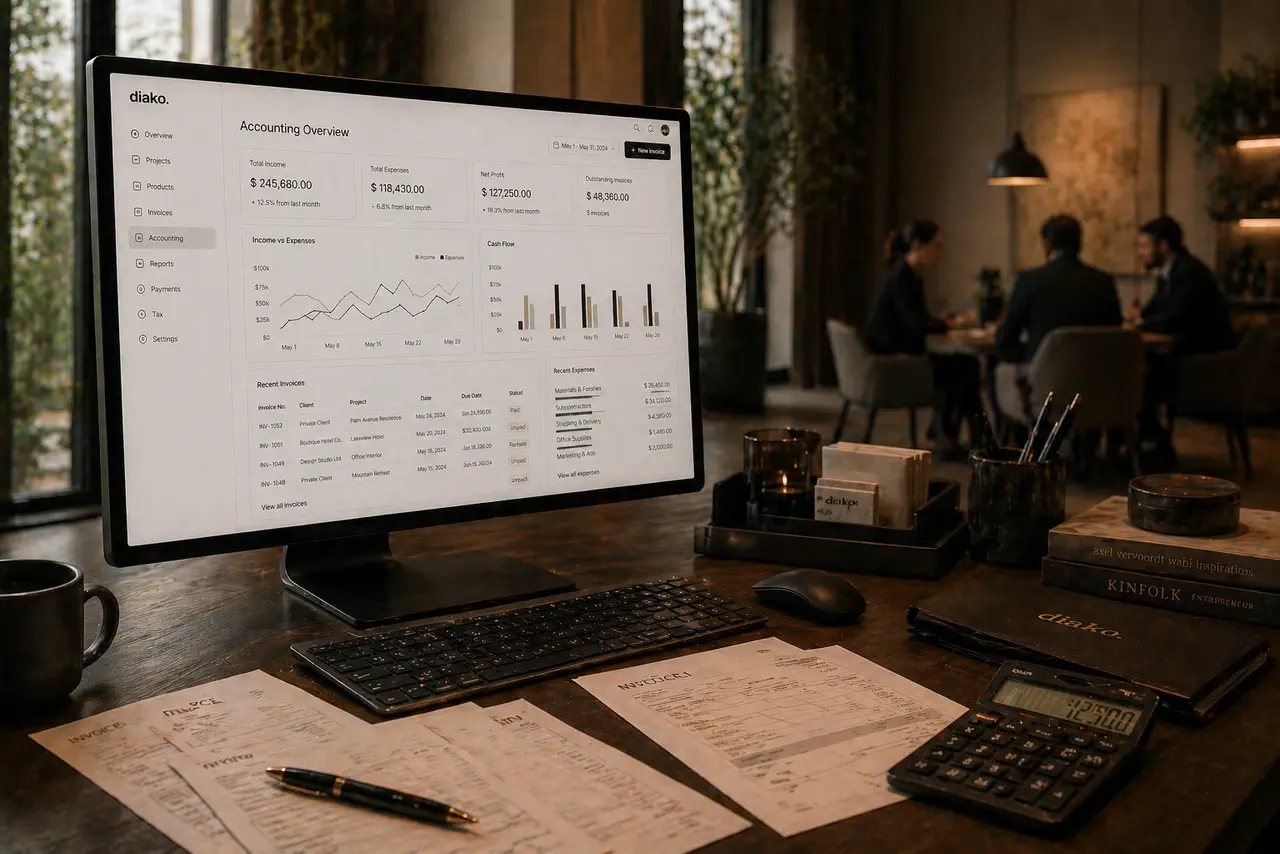
Invoicing
Handle billing from approved proposal items with tax breakdowns, partial invoicing, Stripe payment links, QR codes, and accounting-ready context.
Explore this featureFAQ
Questions studios often ask about this workflow
Clear answers for teams evaluating whether this part of the platform fits their process.
Can proposals be built from approved selections?
Yes. Proposal creation is designed to follow approved project items, so the studio can assemble a client-ready commercial document from the same records already approved internally.
Can clients approve or reject items inside the proposal itself?
Yes. Clients can review items individually and mark them approved or rejected from the shared proposal view, which gives the studio a much clearer decision trail than email replies.
Does the proposal use a secure link or does the client need an account?
Each proposal generates its own shareable link and PIN. Clients can open the proposal without creating an account, while the secure access flow keeps review cleaner and more controlled.
Can proposal items include more than one image?
Yes. Proposal items can carry multiple images snapshot from the source item record, which helps clients review the selection with better visual context.
What happens once a client starts making decisions?
Once approvals or rejections are recorded, the system can lock risky editorial actions like removing items, removing images, or deleting the proposal until the client clears those decisions. That protects proposal integrity during active review.
Does proposal workflow stay connected to purchasing and invoicing?
Yes. Approved proposal items are designed to move forward into purchase orders and invoicing, which reduces rework and keeps commercial follow-through tied to the original project decisions.
See it in context
Start free to explore how this feature works inside the full studio platform
Diako Studio is built to help interior design studios connect creative workflow, client approvals, sourcing, proposals, purchase orders, and invoicing in one place.