
interior design purchase order software
Interior Design Purchase Order Software for Studios
Diako Studio helps interior design studios turn approved project decisions into formal purchase orders without rebuilding procurement records in spreadsheets or email threads. Purchase orders are created from the vendor cost rows already attached to approved items, so project reference, vendor detail, quantities, unit costs, and payment status stay tied to the same operating workflow the studio used to reach the buying decision.
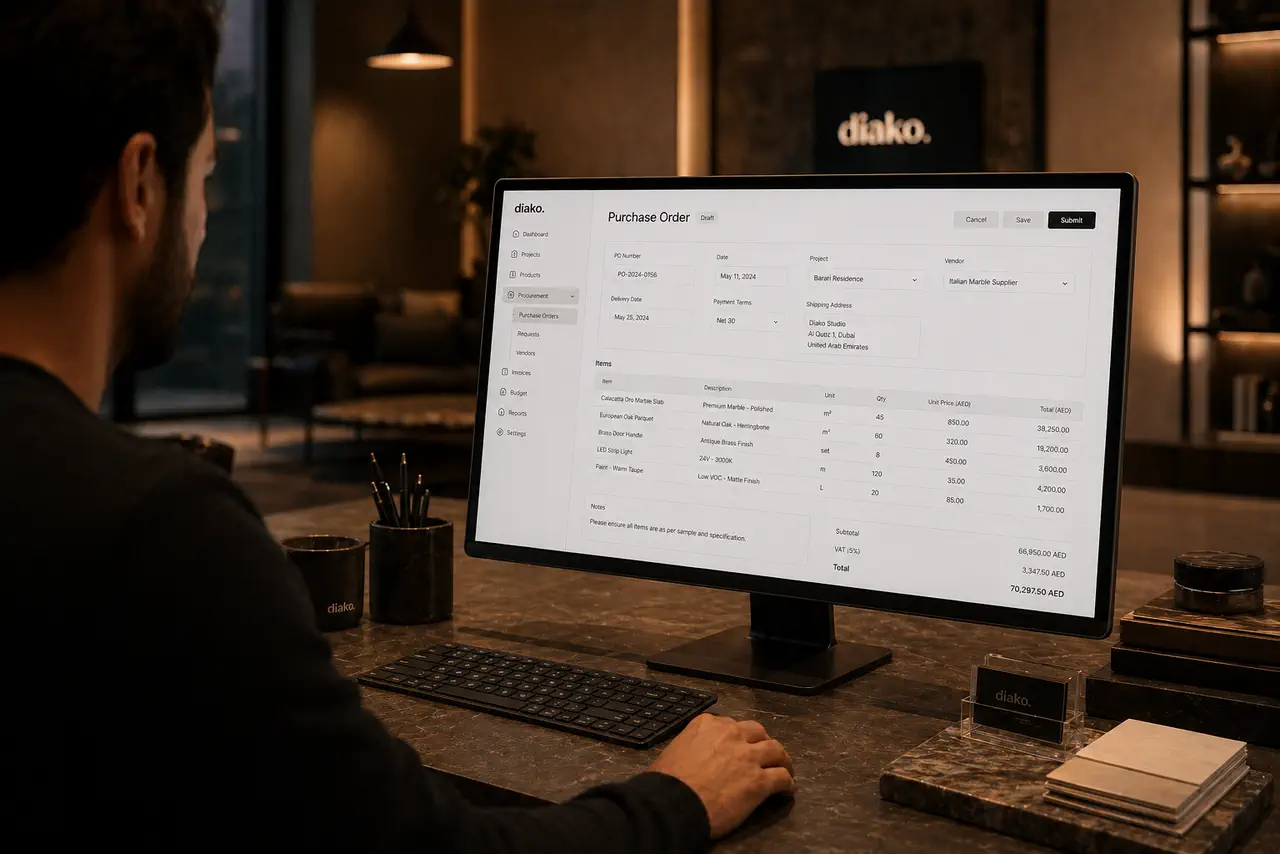
- One vendor per POKeep each purchase order clean and traceable by grouping approved vendor cost rows into a single supplier document.
- Payment status trackingSee whether each purchase order is Draft, Issued, Partially Paid, Paid, or Cancelled as procurement moves forward.
- Project-linked procurementCarry project, item, quantity, vendor type, and unit-cost context straight into the PO workflow.
Purchase Orders for professional studio workflow
- Create purchase orders from approved vendor-ready records instead of rebuilding procurement documents by hand.
- Group orders by vendor so each purchase order stays clean, traceable, and easier to manage operationally.
- Carry project reference, item name, area, vendor type, quantity, unit cost, and totals into the PO automatically.
- Track vendor obligations with clear payment statuses such as Draft, Issued, Partially Paid, Paid, and Cancelled.
- Reduce reconciliation work by keeping purchase orders tied to the same approved items and sourcing data already in the project.
- Give the studio a clearer view of what has been approved, what is ready to order, and what has already moved into procurement.
Built to support connected studio handoffs
- Approve the project items and confirm the vendor cost rows that should move into procurement.
- Group approved vendor cost rows by supplier so each purchase order belongs to exactly one vendor.
- Generate a formal purchase order with project reference, item details, quantity, vendor type, unit cost, and calculated totals already attached.
- Issue the PO and manage payment state through Draft, Issued, Partially Paid, Paid, or Cancelled as vendor follow-through progresses.
- Keep procurement activity tied to the same project, approval, and commercial context that later supports invoicing and reporting.
Inside the procurement workflow
How purchase order software works when it follows approved design decisions
The value of purchase order software is not only in producing a vendor document. It is in preserving the connection between approved items, supplier-specific cost rows, payment status, and the rest of the studio workflow so procurement does not drift into disconnected admin work.
Build purchase orders from vendor cost rows that already exist inside the project
Diako uses the vendor cost rows attached to approved project items as the source for purchase orders. Those rows can already contain vendor type, vendor, quantity, unit cost, and markup context, which means the studio is not reconstructing procurement information after the decision has already been made.
- Use approved vendor cost rows as the source of truth for procurement.
- Keep vendor type, quantity, unit cost, and item context tied to the same project record.
- Reduce manual PO preparation by reusing sourcing data already captured earlier in the workflow.
Create one formal purchase order per vendor for cleaner documentation
Each purchase order belongs to exactly one vendor. That structure keeps documentation clearer, makes supplier communication easier to follow, and avoids mixing unrelated obligations into one purchasing record. The resulting document includes project reference, item name, area, vendor type, quantity, unit cost, and calculated totals.
- Group approved cost rows by vendor so each PO stays focused and traceable.
- Include project reference and area context so suppliers and the studio can identify what each line supports.
- Generate a more formal supplier-facing document from the same project data already approved internally.
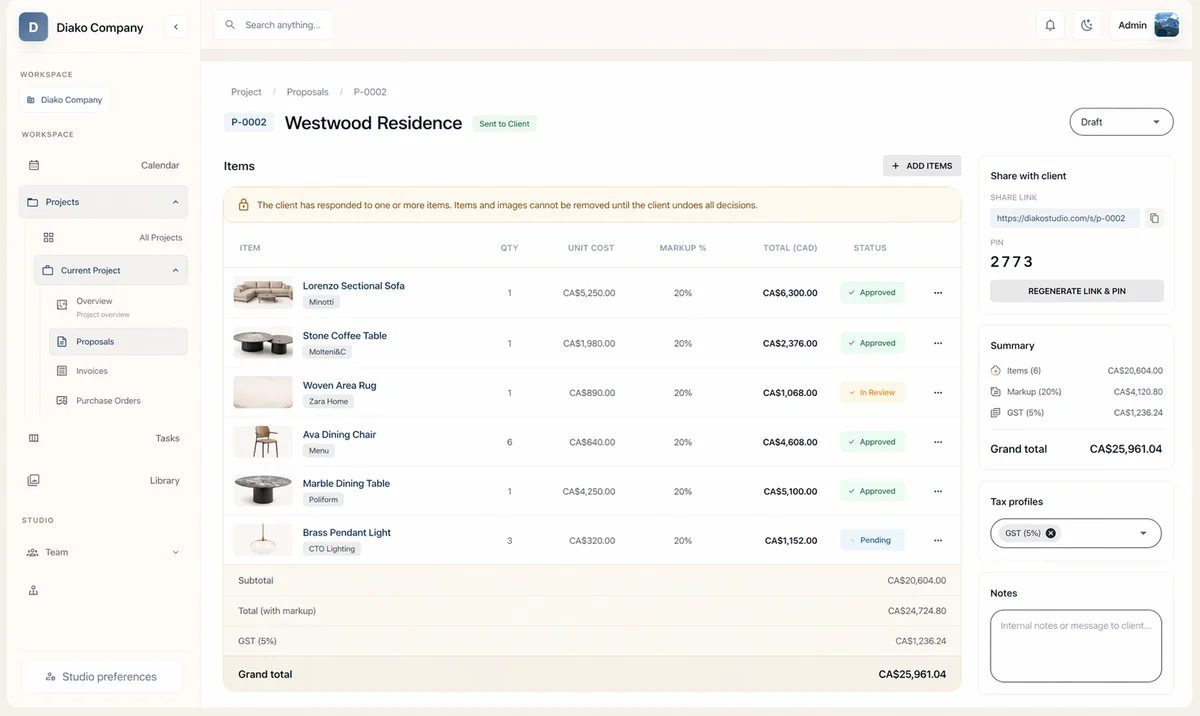
Track vendor obligations with clearer payment-state visibility
Procurement does not end when the document is created. Purchase orders carry statuses such as Draft, Issued, Partially Paid, Paid, and Cancelled so the studio can understand where each vendor commitment stands. This gives the team a better operational read on what still needs follow-through.
- Use explicit payment statuses to see whether a PO is still open or financially complete.
- Reduce guesswork around outstanding vendor obligations across active projects.
- Keep procurement visibility inside the same platform instead of managing status updates in separate notes.

Keep purchasing connected to proposals, invoicing, and wider studio operations
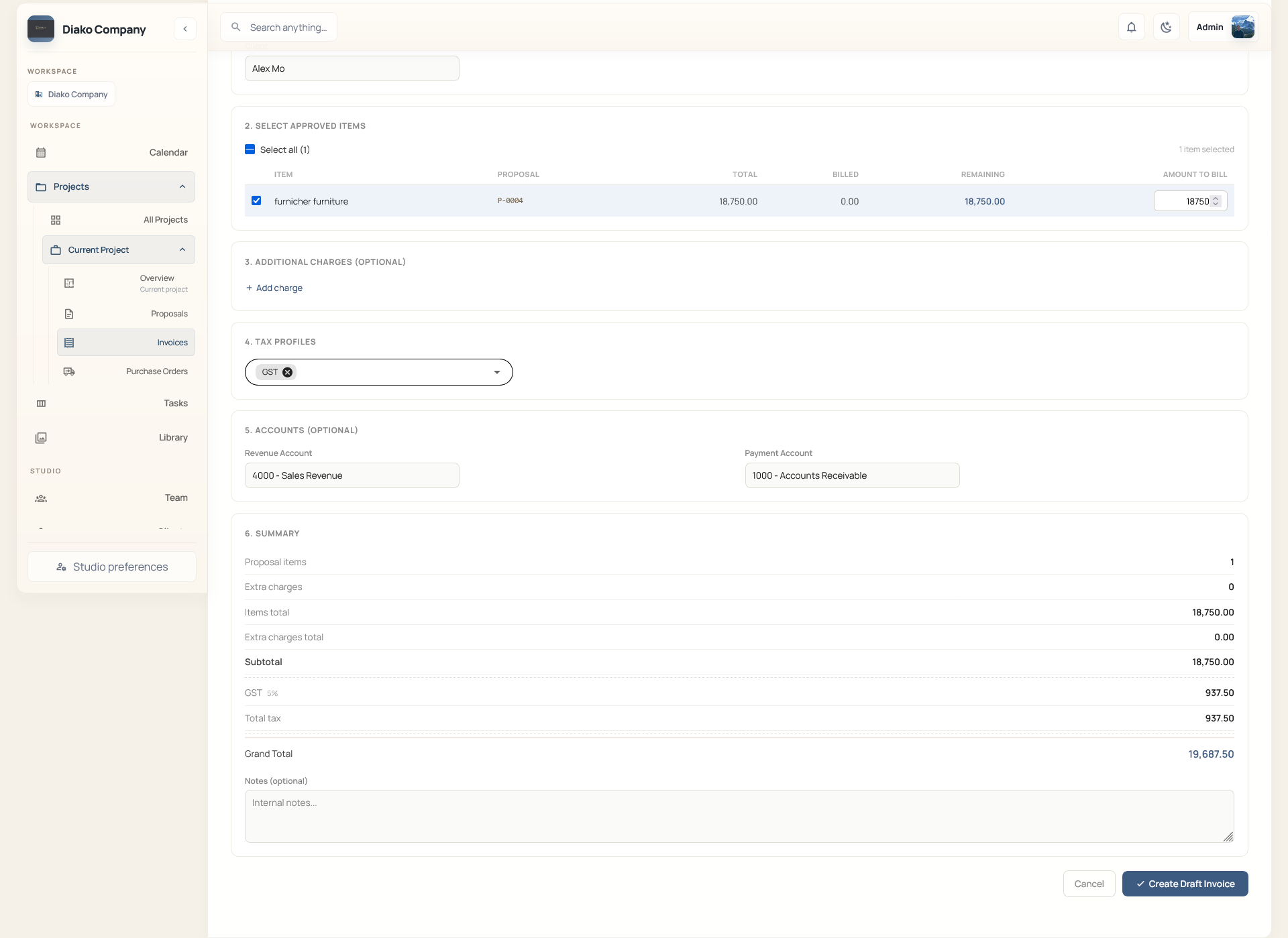
Purchase orders are more useful when they are not isolated from the rest of the commercial flow. In Diako, procurement follows approved proposal decisions and stays close to invoicing, reporting, and operational visibility, which helps the studio execute faster without losing the context behind the order.
- Move from approved proposal items into procurement with less rebuilding.
- Keep vendor-facing ordering closer to downstream billing and reporting workflow.
- Support a more continuous studio process from approval through procurement and commercial follow-through.
Reduce friction inside the studio workflow
- Purchase orders created outside the live design record with no reliable link back to what the client actually approved.
- Vendor costs, quantities, and markup context scattered across spreadsheets, inboxes, and manual order documents.
- No clean handoff from approved selections into vendor-facing procurement work.
- Studios struggling to see which supplier obligations are still draft, already issued, partially paid, or complete.
- Manual ordering workflow creating extra reconciliation work later for billing and reporting.
Works better because it connects to the surrounding workflow
Related features
Explore the connected modules around this workflow
Each part of the platform is stronger because it links to the stages before and after it.
Product Sourcing
Manage sourcing with organized vendor records, approved selections, and a cleaner handoff into ordering.
Explore this feature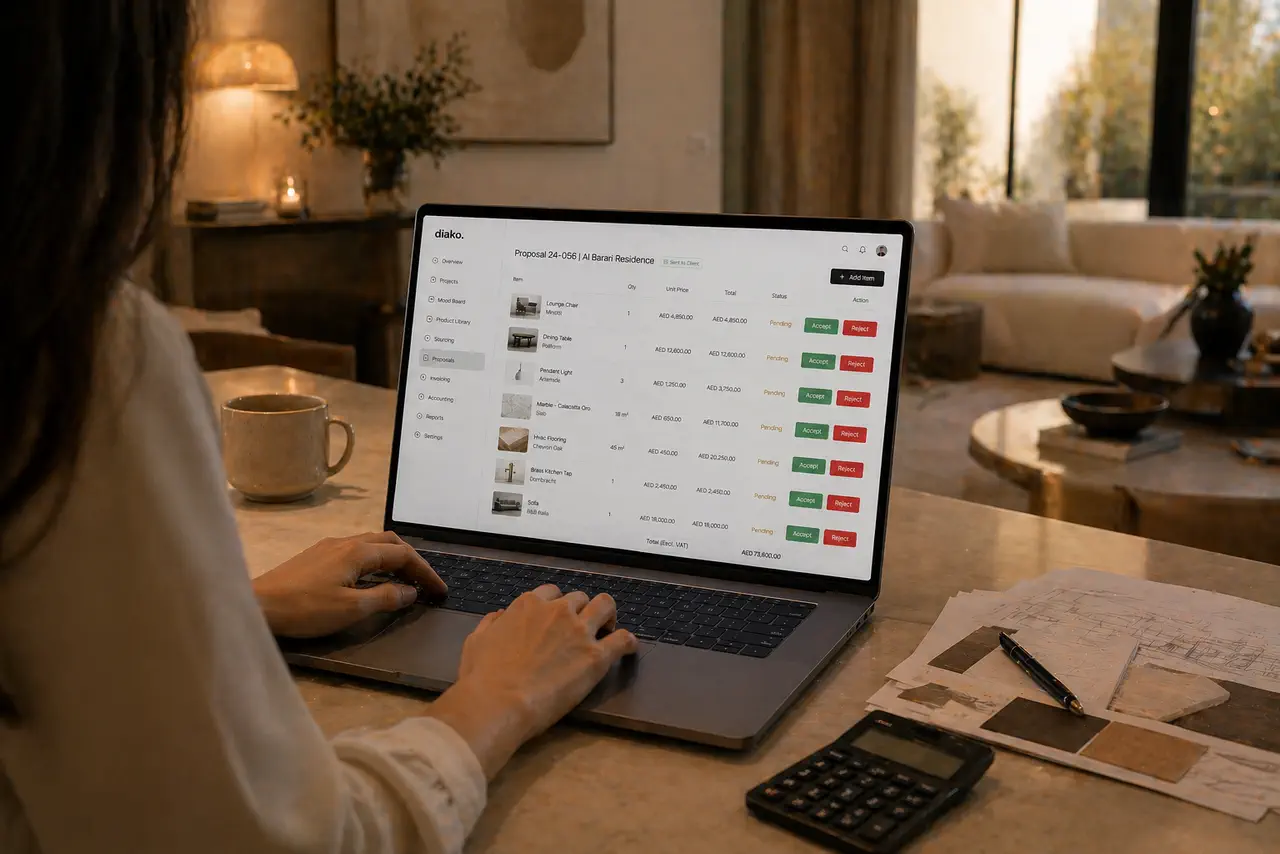
Proposals
Build client proposals from approved selections with secure review, item-level approvals, tax breakdowns, and a cleaner handoff into purchasing and invoicing.
Explore this feature
Invoicing
Handle billing from approved proposal items with tax breakdowns, partial invoicing, Stripe payment links, QR codes, and accounting-ready context.
Explore this featureFAQ
Questions studios often ask about this workflow
Clear answers for teams evaluating whether this part of the platform fits their process.
Can purchase orders be tied to approved selections?
Yes. Purchase orders are designed to follow approved project items and their vendor cost rows, so procurement can begin from the same records already approved inside the project.
Can one purchase order include items from multiple vendors?
No. Each purchase order belongs to one vendor, which keeps supplier documentation cleaner and easier to trace.
What information carries into the purchase order automatically?
The purchase order can carry project reference, item name, area, vendor type, quantity, unit cost, and calculated totals from the approved vendor cost data already inside the platform.
Can the studio track payment status on purchase orders?
Yes. Purchase orders support clear statuses such as Draft, Issued, Partially Paid, Paid, and Cancelled so the team can see outstanding vendor obligations more easily.
Is this useful for vendor coordination too?
Yes. Purchase orders become more useful when they remain tied to vendor information, project context, and approved source records instead of being isolated documents.
Does purchase order workflow stay connected to proposals and invoicing?
Yes. The procurement step stays close to the proposal and billing workflow, which helps studios reduce rework and keep commercial follow-through more consistent.
See it in context
Start free to explore how this feature works inside the full studio platform
Diako Studio is built to help interior design studios connect creative workflow, client approvals, sourcing, proposals, purchase orders, and invoicing in one place.