
interior design invoicing software
Interior Design Invoicing Software for Studios
Diako Studio helps interior design studios manage invoicing as a continuation of approved commercial decisions instead of a disconnected finance step. Invoices are created from client-approved proposal items, support partial billing, carry taxes and additional charges, generate Stripe payment links and QR codes, and update payment status back into the platform automatically. That keeps billing, payment follow-through, and accounting context tied to the same project workflow the studio already used to reach the approval stage.

- Built from approved proposalsStart billing from client-approved items instead of reconstructing the invoice from separate notes.
- Stripe link + QR codeGenerate payment-ready invoices with a digital payment link and scannable QR support.
- Partial billing supportInvoice part of the approved work now and track what remains for later billing cycles.
Invoicing for professional studio workflow
- Build invoices directly from approved proposal items instead of rebuilding billing records from notes or spreadsheets.
- Support partial billing so the studio can invoice part of an approved item now and bill the remainder later.
- Apply tax profiles and additional charge lines inside the same invoice workflow for a clearer commercial breakdown.
- Generate Stripe payment links and QR codes automatically so clients can pay through a cleaner digital billing flow.
- Update payment status through Stripe webhooks so the platform reflects paid invoices without manual chasing.
- Keep invoicing tied to accounting-ready context, project records, and studio visibility instead of reconciling separate systems later.
Built to support connected studio handoffs
- Start the invoice from client-approved proposal items so the billing source is already commercially validated.
- Choose which approved items to bill now and which to leave for later when partial invoicing is needed.
- Apply tax profiles and add delivery, service fees, or other adjustments as invoice lines in the same billing flow.
- Finalize the invoice to generate a Stripe payment link and QR code that can be shared in digital or printed documents.
- Let Stripe webhook confirmation update payment status automatically so the system stays authoritative without manual reconciliation.
- Keep billed amounts, payment follow-through, and accounting context visible inside the broader studio workflow.
Inside the billing workflow
How invoicing works when billing stays tied to commercial and accounting context
The invoice layer matters most when it follows approved commercial decisions cleanly and keeps payment, taxes, and financial follow-through attached to the same source records. That is the billing model described in the product document.
Create invoices from approved proposal items instead of rebuilding the bill
Diako treats invoicing as a continuation of the proposal workflow. The studio selects approved proposal items for the current bill, which means the invoice starts from work the client has already accepted rather than from a disconnected finance document. Already-billed amounts are tracked so repeated manual reconciliation becomes less necessary.
- Build invoices from client-approved proposal items instead of starting from scratch.
- Keep billing tied to the same commercial decisions already visible in the project workflow.
- Track what has already been billed so future invoices do not accidentally duplicate the same amount.
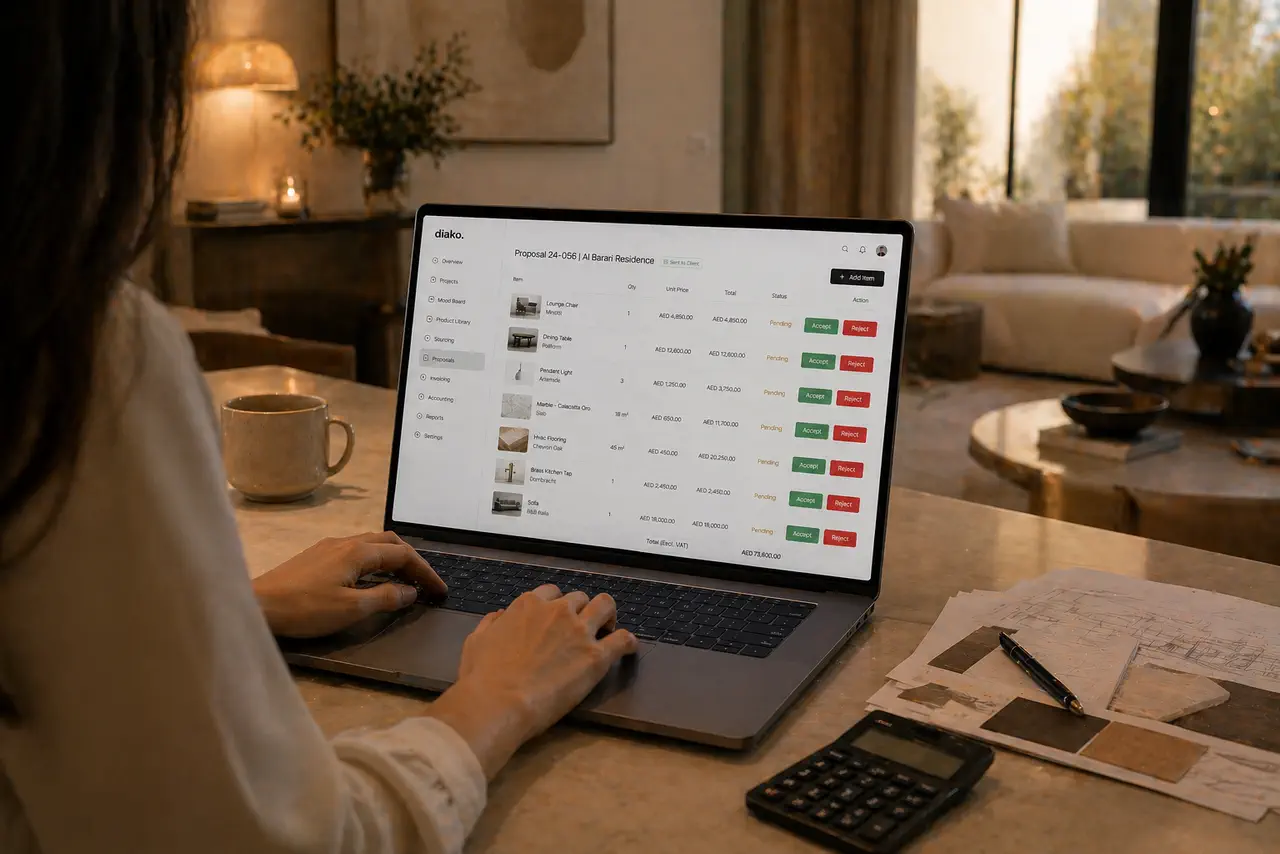
Support partial invoicing, taxes, and additional charges in the same flow
Studios often need to invoice only part of the approved work at a given moment. Diako supports that by allowing partial billing, while tax profiles from settings add the right tax lines and additional charges such as delivery, service fees, or adjustments can be added directly on the invoice. The result is a more complete billing record without bouncing into a separate finance tool just to finish the document.
- Invoice only the portion of approved work that should be billed now.
- Apply tax profiles for subtotal, tax-line, and total clarity.
- Add delivery, service-fee, or adjustment lines without leaving the invoice workflow.
Generate Stripe payment links and QR codes so invoices are ready to pay
Once the invoice is finalized, the platform can create a Stripe payment link and attach it to the invoice, along with a QR code that can be used in printed or digital formats. Stripe customer records are reused across future invoices, which makes repeat billing cleaner for ongoing studio-client relationships.
- Create a Stripe payment link as part of finalizing the invoice.
- Generate a QR code for easier payment from digital or printed documents.
- Reuse Stripe customer records so repeat invoicing stays smoother over time.
Let payment confirmation update invoice status automatically
Invoice workflow becomes far more reliable when payment confirmation does not depend on a person manually updating the bill. Diako uses Stripe webhooks so the invoice can update to Paid when Stripe confirms the payment, while the platform remains the authoritative internal record for billing status and financial follow-through.
- Update invoice payment status from Stripe confirmation instead of manual admin steps.
- Reduce follow-up uncertainty around whether a client payment really completed.
- Keep payment visibility closer to the same studio workflow that produced the invoice.

Reduce friction inside the studio workflow
- Invoices created separately from the approved proposal record, forcing teams to rebuild what was already commercially decided.
- No clean way to partially bill approved work while keeping track of what is already invoiced versus what remains.
- Taxes, delivery charges, and payment collection managed in different places with too much manual reconciliation.
- Payment status depending on manual follow-up instead of updating automatically from the actual payment event.
- Design, billing, and accounting context drifting apart across separate systems.
Works better because it connects to the surrounding workflow
Related features
Explore the connected modules around this workflow
Each part of the platform is stronger because it links to the stages before and after it.
Proposals
Build client proposals from approved selections with secure review, item-level approvals, tax breakdowns, and a cleaner handoff into purchasing and invoicing.
Explore this feature
Purchase Orders
Generate purchase orders from approved vendor cost rows with project context, vendor detail, payment status tracking, and a cleaner procurement handoff.
Explore this feature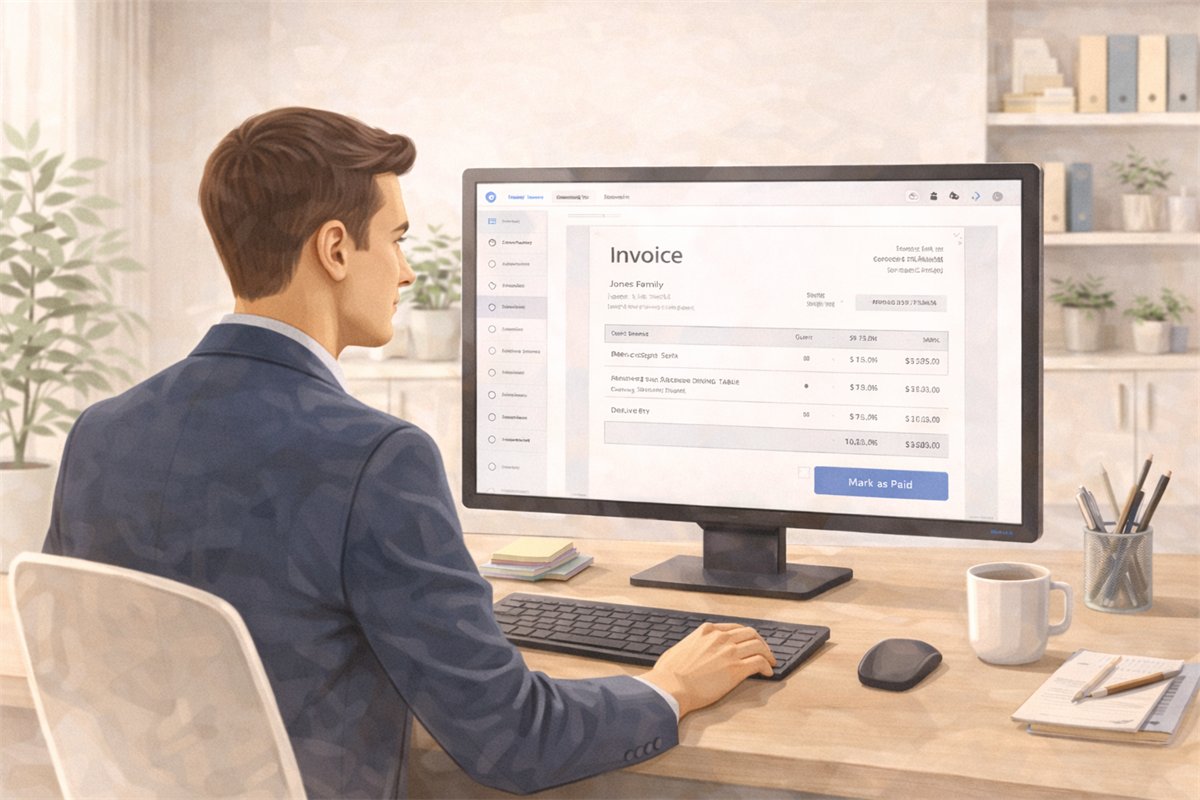
Accounting
Manage studio accounting with chart of accounts, taxes, invoicing, payments, and ledger visibility in one connected workflow.
Explore this featureFAQ
Questions studios often ask about this workflow
Clear answers for teams evaluating whether this part of the platform fits their process.
Can invoicing stay connected to proposals and project records?
Yes. Invoices are designed to stay close to the approved proposal items and project records that created them, which reduces rebuilding and keeps billing context clearer.
Can the studio partially invoice approved items?
Yes. Partial billing is supported, so a team can invoice part of an approved item now and bill the remaining amount later while the system tracks what has already been billed.
Does the invoice include taxes and extra charges?
Yes. Tax profiles from settings can be applied to invoices, and additional charges such as delivery, service fees, or adjustments can be added as invoice lines.
Does the platform create a payment link for the invoice?
Yes. Once an invoice is finalized, Diako can generate a Stripe payment link and QR code so payment can be collected through a cleaner digital workflow.
How does payment status get updated?
Payment status is designed to update automatically through Stripe webhooks, so the invoice can move to Paid when Stripe confirms the payment instead of relying on manual confirmation.
Does invoicing connect to accounting workflow inside Diako Studio?
Yes. Invoicing is positioned as part of the wider accounting workflow, so taxes, payments, and financial follow-through stay closer to the billing record.
Does this replace all accounting software?
It covers native billing and accounting workflow inside Diako Studio for personal and company use cases, while QuickBooks integration is planned for a later stage rather than available now.
See it in context
Start free to explore how this feature works inside the full studio platform
Diako Studio is built to help interior design studios connect creative workflow, client approvals, sourcing, proposals, purchase orders, and invoicing in one place.