
01
Project structure that matches how interior design studios actually work
Organize work by project, room, item, and status while keeping day-to-day follow-up connected through a task board that links back to the exact project context.
AI-powered all-in-one interior design software for studios
Diako Studio helps interior design studios replace scattered mood board tools, spreadsheets, PDFs, email approvals, separate task apps, disconnected showroom screens, and accounting software with one platform for projects, AI-assisted mood boards, kitchen suggestions, client communication, showroom displays, sourcing, proposals, purchase orders, invoicing, and accounting workflow.

Why studios start looking
Many studios start with a mix of mood board tools, spreadsheets, PDFs, email threads, task apps, and accounting software. The friction starts when the same project has to be reassembled at every stage: mood board presentation in one place, selections somewhere else, approvals in email, sourcing in spreadsheets, and invoicing in another system.
What Diako Studio is
Diako Studio is the operating system for interior design studios that need creative work, accounting, and business follow-through to stay connected. Teams can move from mood boards and room-based selections to client review, sourcing, proposals, purchase orders, invoicing, accounting, and reporting without rebuilding the project in separate tools.
Organize work by project, room, item, and status while keeping day-to-day follow-up connected through a task board that links back to the exact project context.
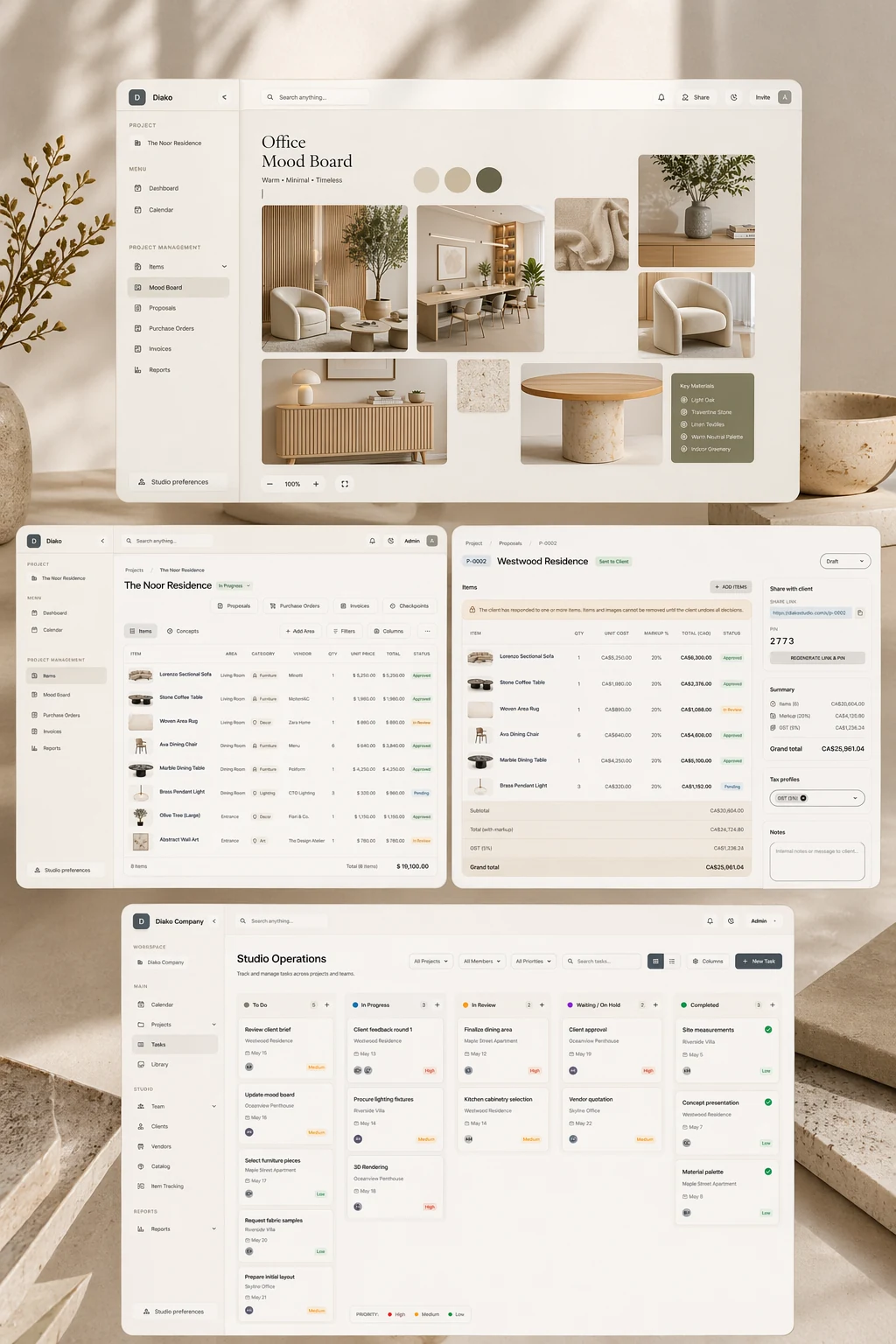
Build freeform visual boards with images, text, shapes, and palettes while keeping design direction connected to rooms, selections, specifications, and approvals.
Give clients one place to review selections and proposals, respond with less confusion, and move decisions forward without messy handoffs.
Carry approved selections into sourcing, proposals, purchase orders, invoicing, accounting, and reporting without repeated data entry or disconnected records.
Feature architecture
Browse the platform the way a studio actually works through it. These pages group the product by project management, mood boards, client review, showroom displays, sourcing, specifications, proposals, purchase orders, invoicing, accounting, and studio visibility so buyers can quickly understand what each area does and what it connects to.
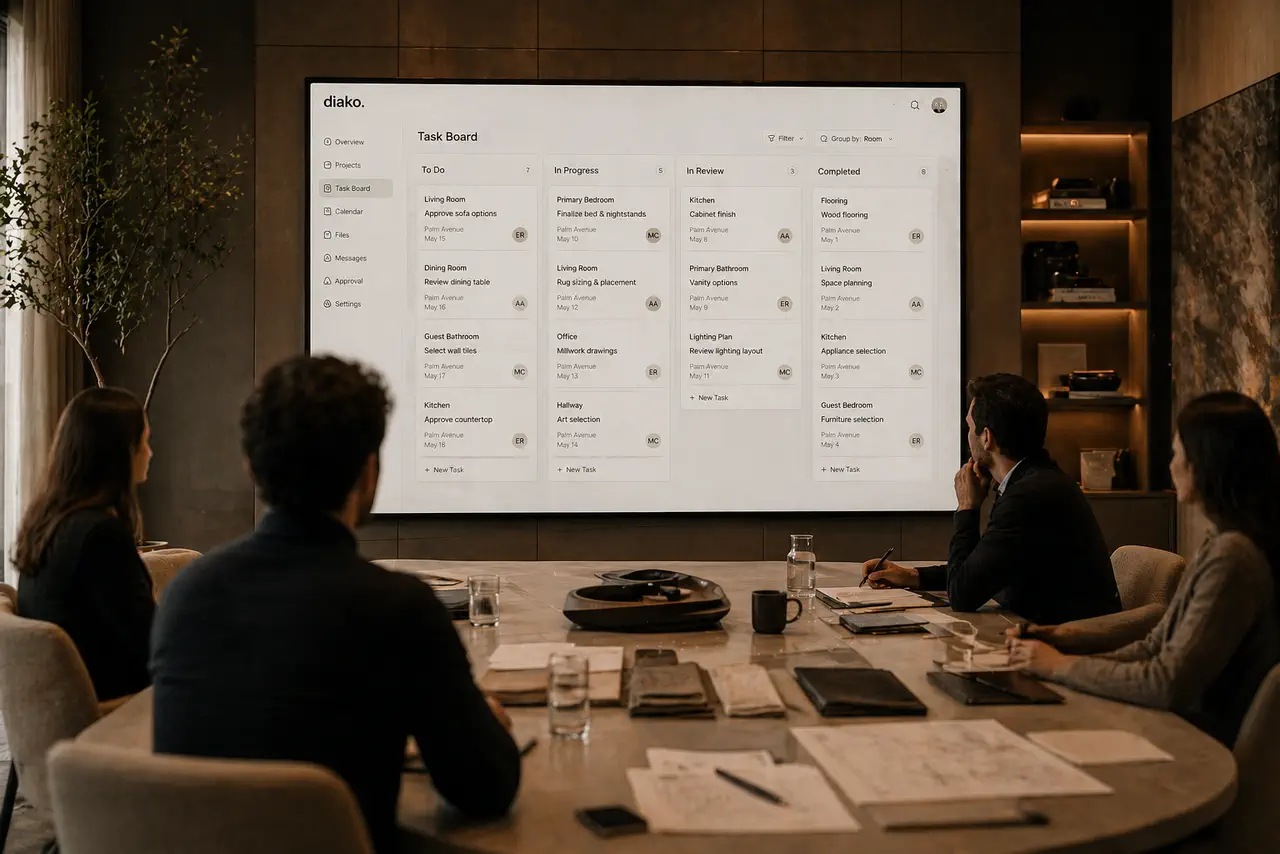
Manage interior design projects by room, item, approval status, and team workflow in software built for real design studios.
Why it matters: Organize every interior design project by client, room, area, concept, item, and current status.
Explore this feature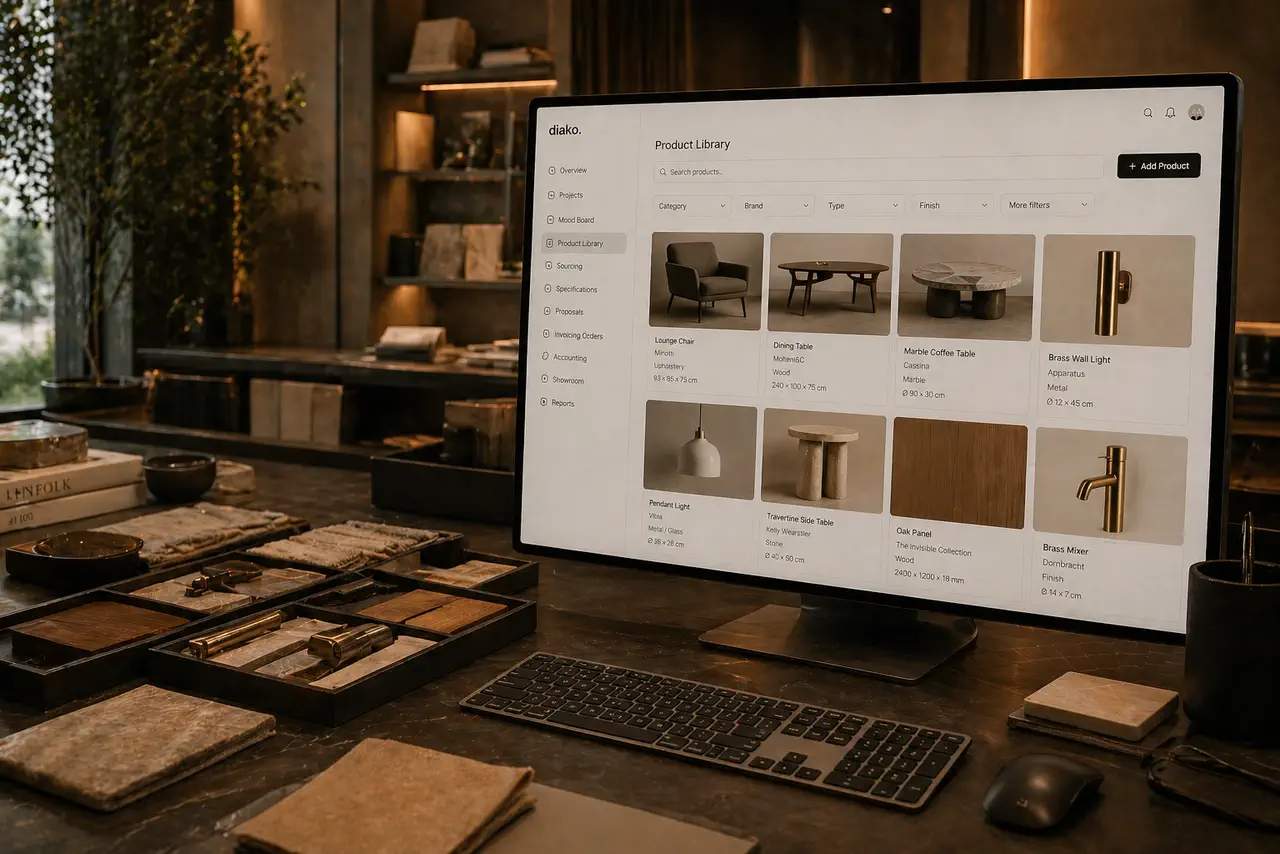
Manage supplier records, default markups, product-linked vendors, AI vendor search, and faster vendor lookup in one studio workflow.
Why it matters: Keep a shared studio-wide vendor directory with contact details, full address fields, and reusable default markups.
Explore this feature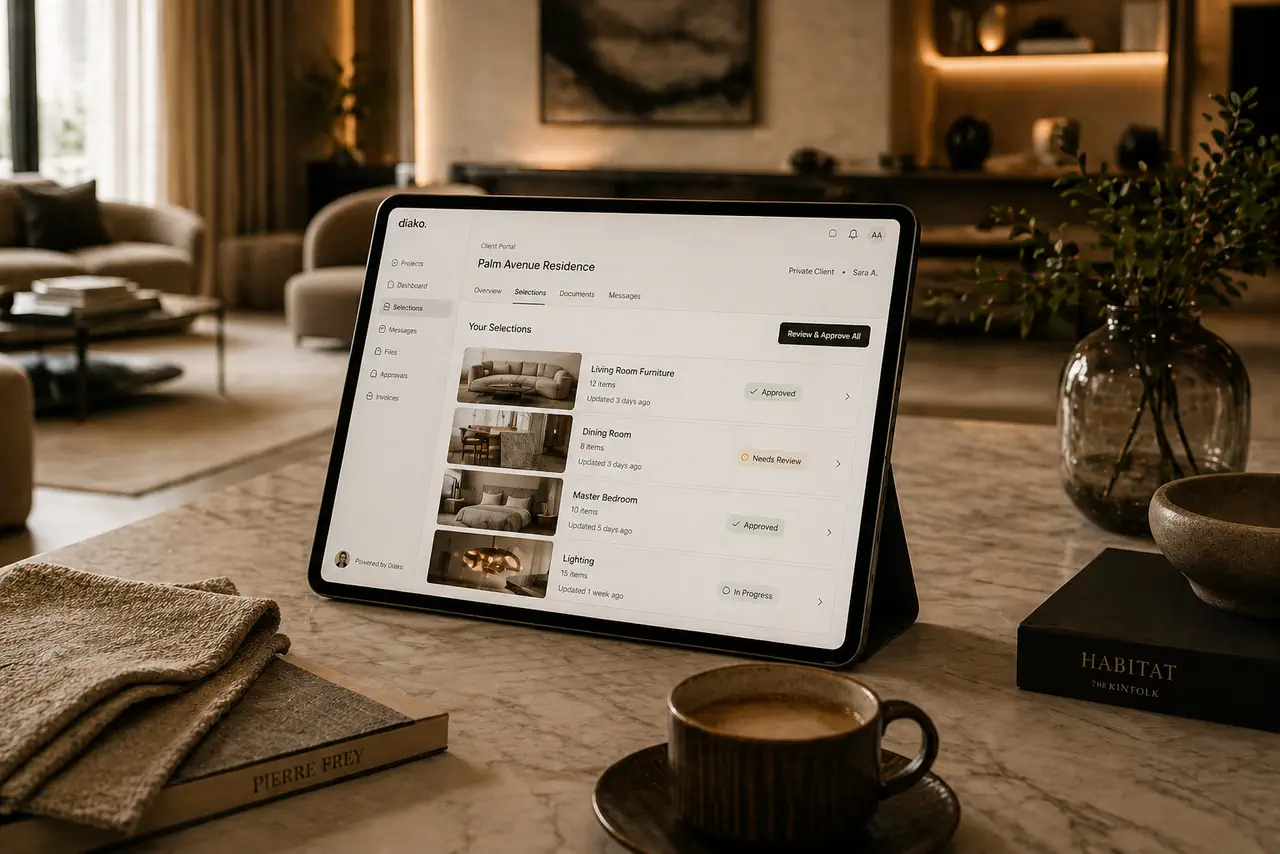
Manage a studio-wide client directory, optional portal access, and AI-assisted CSV import for interior design teams.
Why it matters: Keep one central client directory that anchors projects, proposals, invoices, and ongoing studio communication.
Explore this feature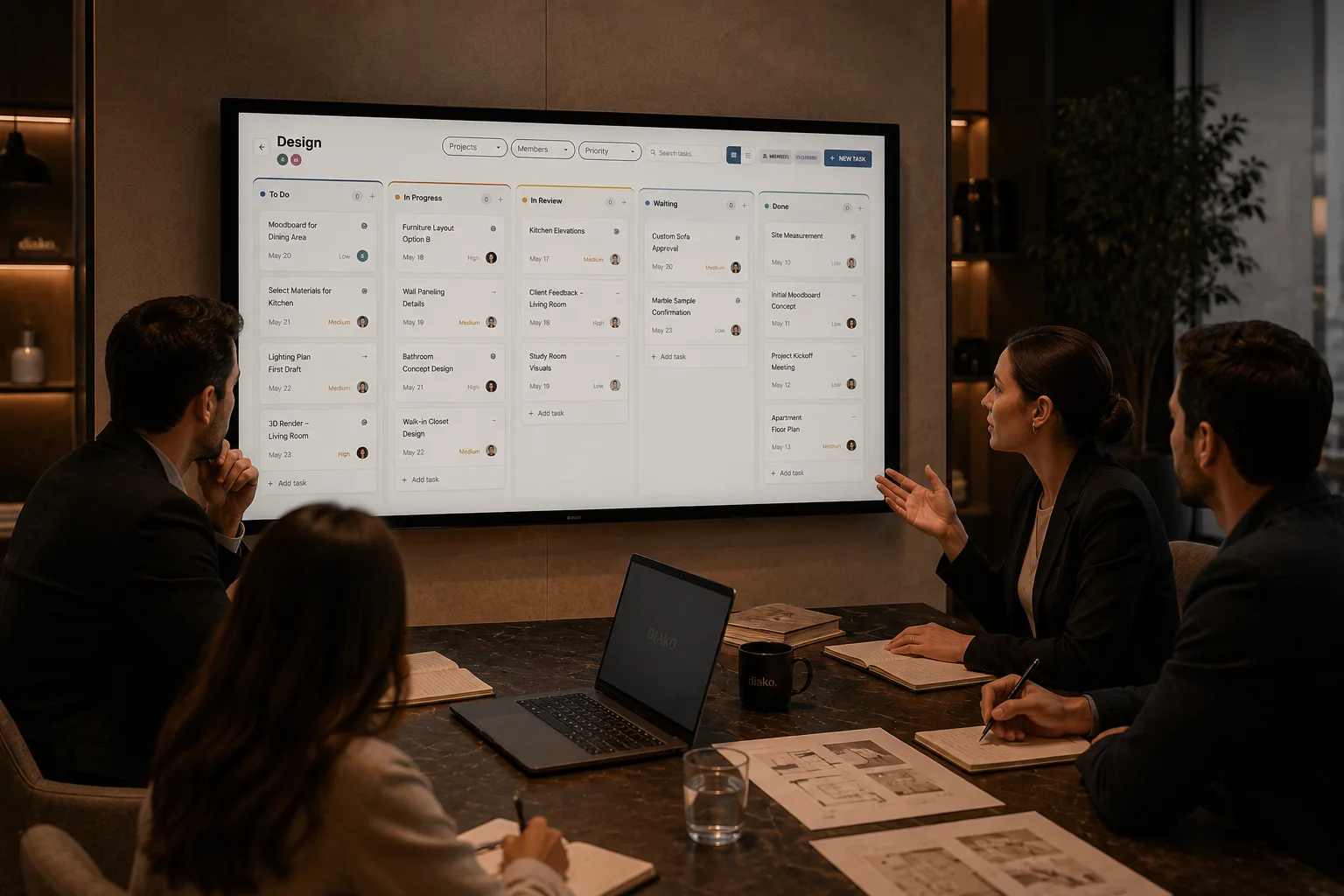
Run studio task boards with private board membership, customizable columns, multi-assignee tasks, and project-linked follow-up built for interior design teams.
Why it matters: Create separate task boards for different teams, departments, or workstreams instead of mixing everything into one shared view.
Explore this feature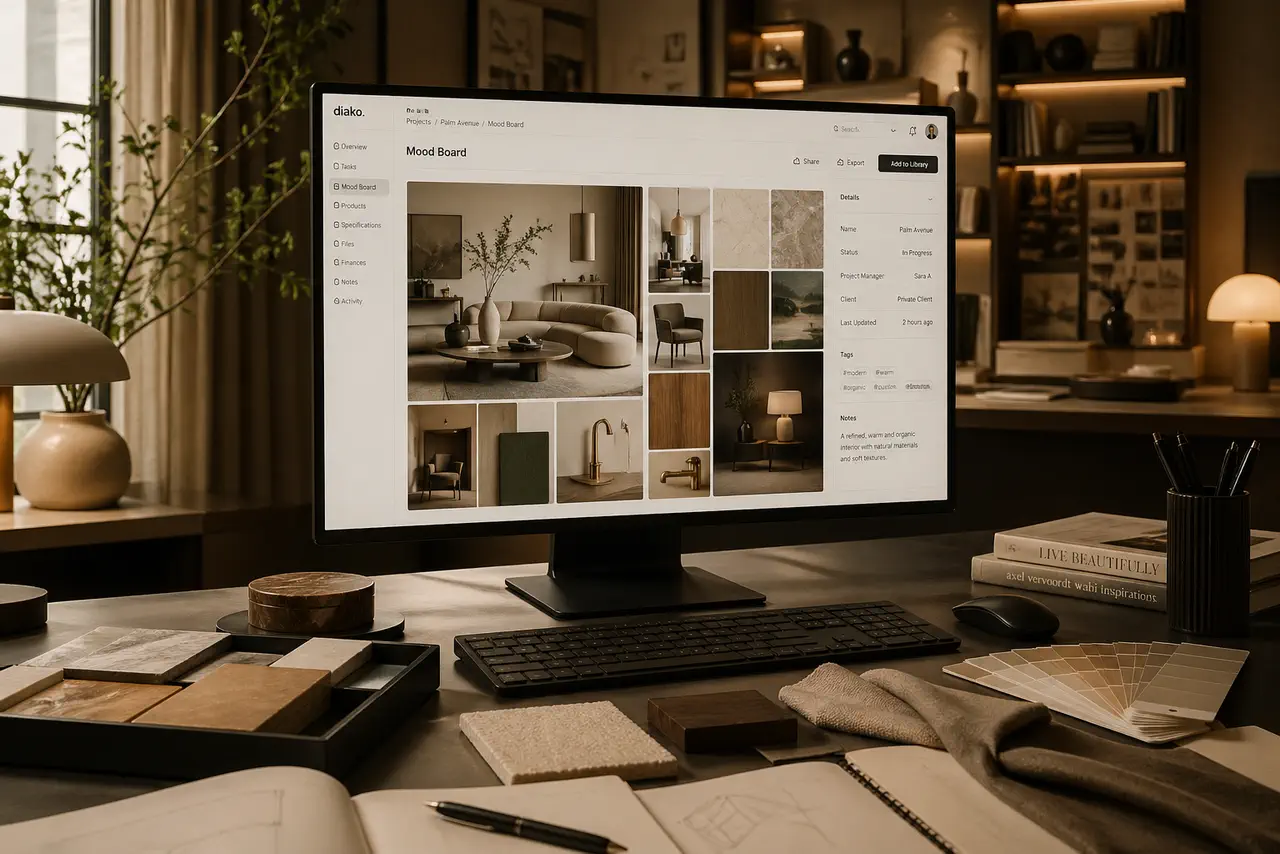
Create room-based mood boards with AI kitchen suggestions, AI moodboard ordering suggestions, source-aware visuals, and polished composition tools tied to the live project.
Why it matters: Stand out with AI-assisted concept direction while keeping the board editable, client-ready, and connected to the rest of the project.
Explore this featureKeep products, finishes, suppliers, and pricing in a reusable library the team can carry into specs and sourcing.
Why it matters: Reuse product records across projects instead of rebuilding them.
Explore this feature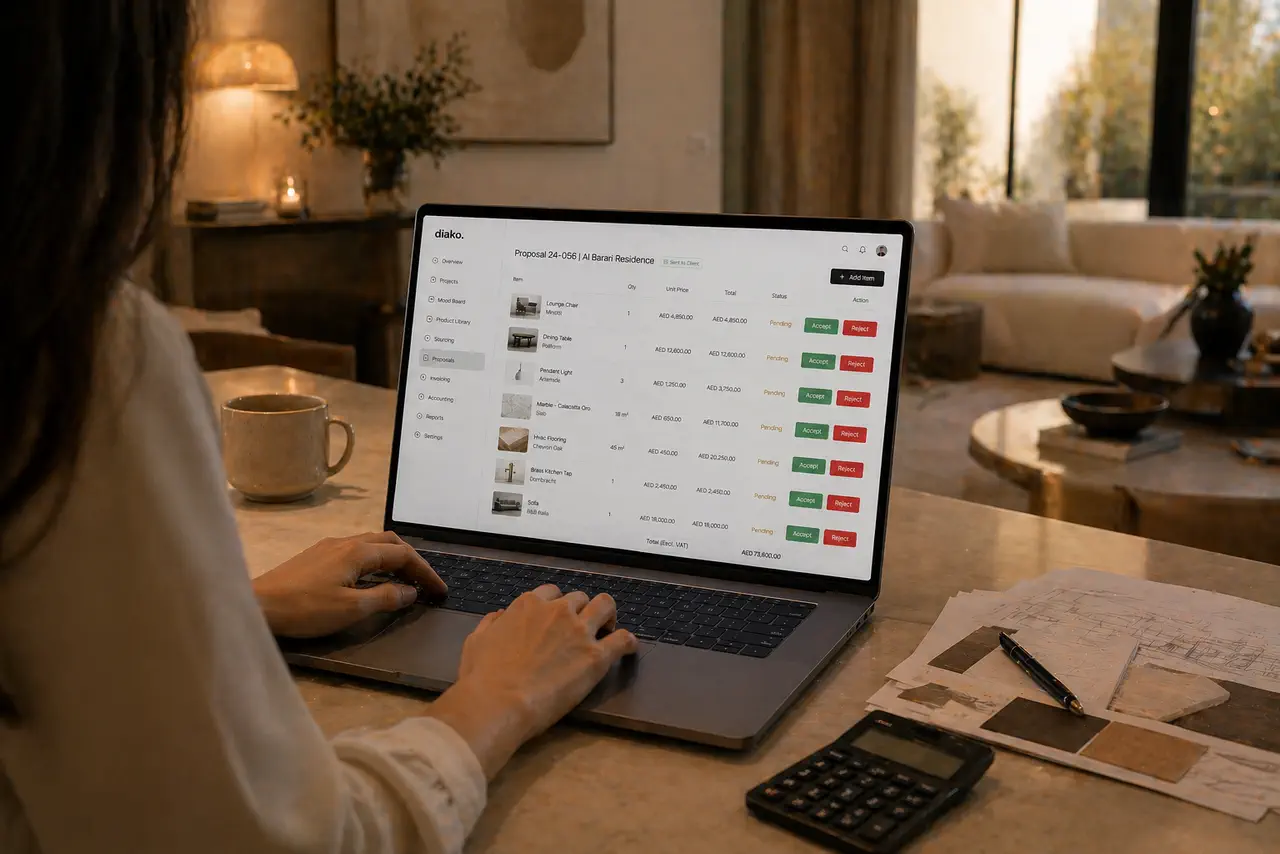
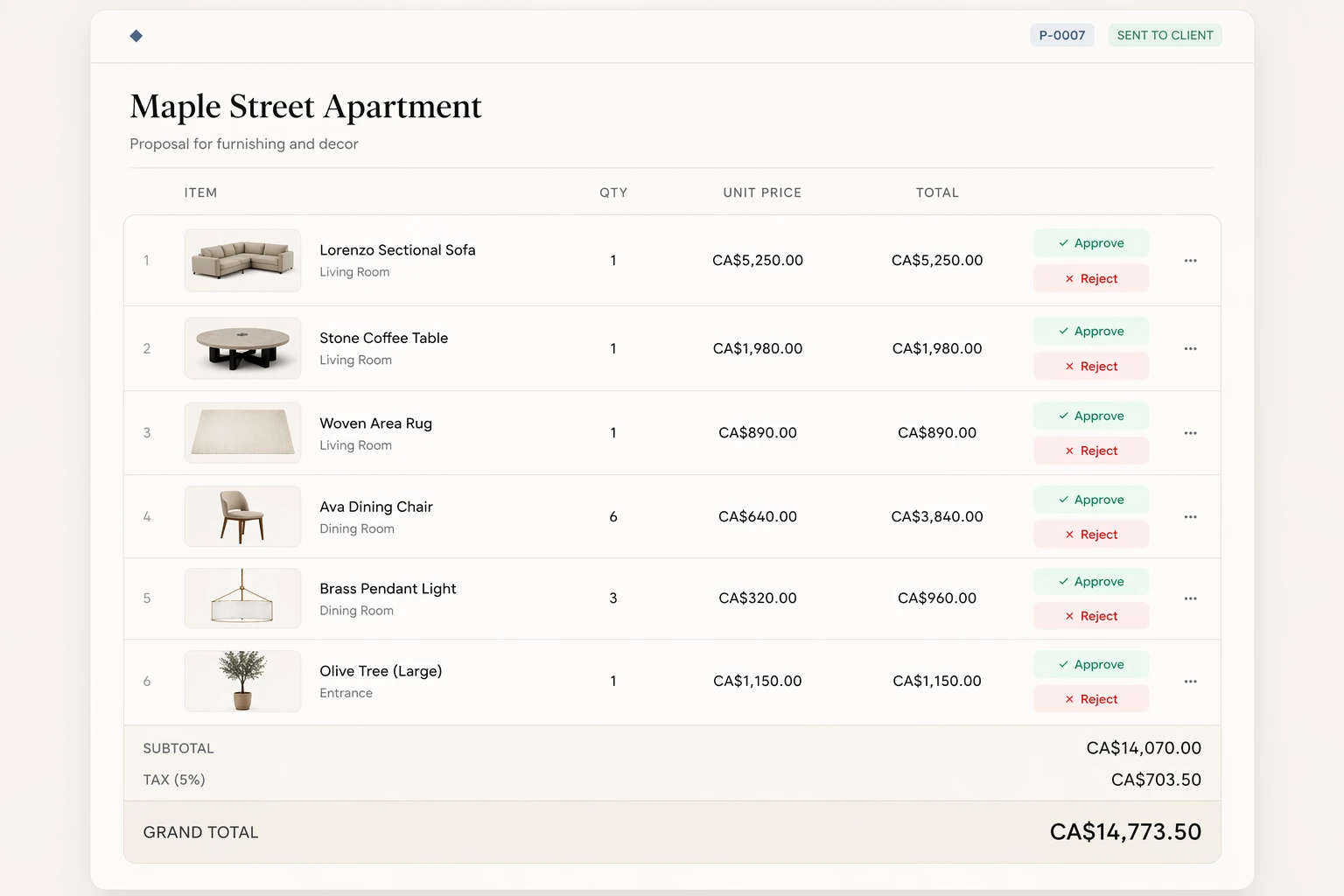
Build client proposals from approved selections with secure review, item-level approvals, tax breakdowns, and a cleaner handoff into purchasing and invoicing.
Why it matters: Build proposals directly from approved project items so quantities, pricing context, and imagery do not need to be recreated manually.
Explore this feature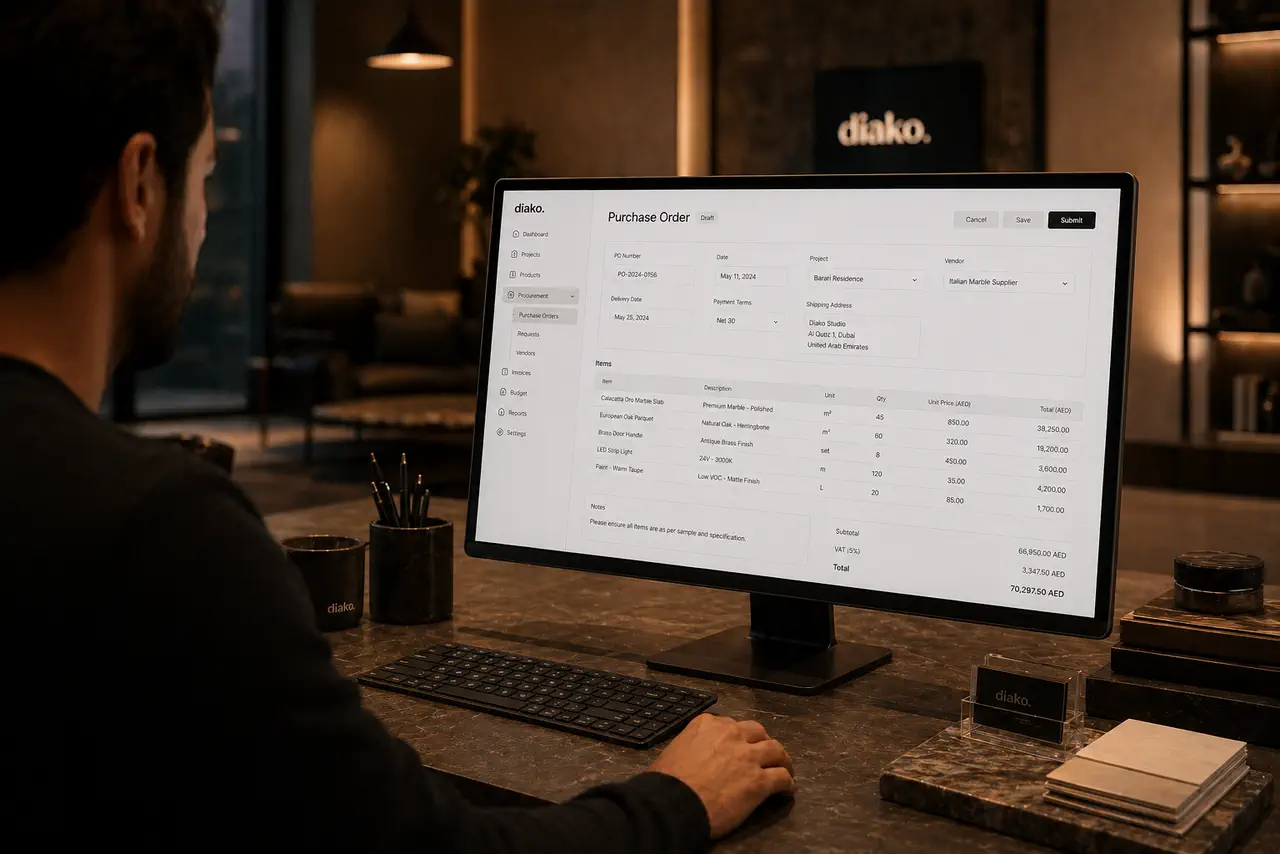
Generate purchase orders from approved vendor cost rows with project context, vendor detail, payment status tracking, and a cleaner procurement handoff.
Why it matters: Create purchase orders from approved vendor-ready records instead of rebuilding procurement documents by hand.
Explore this feature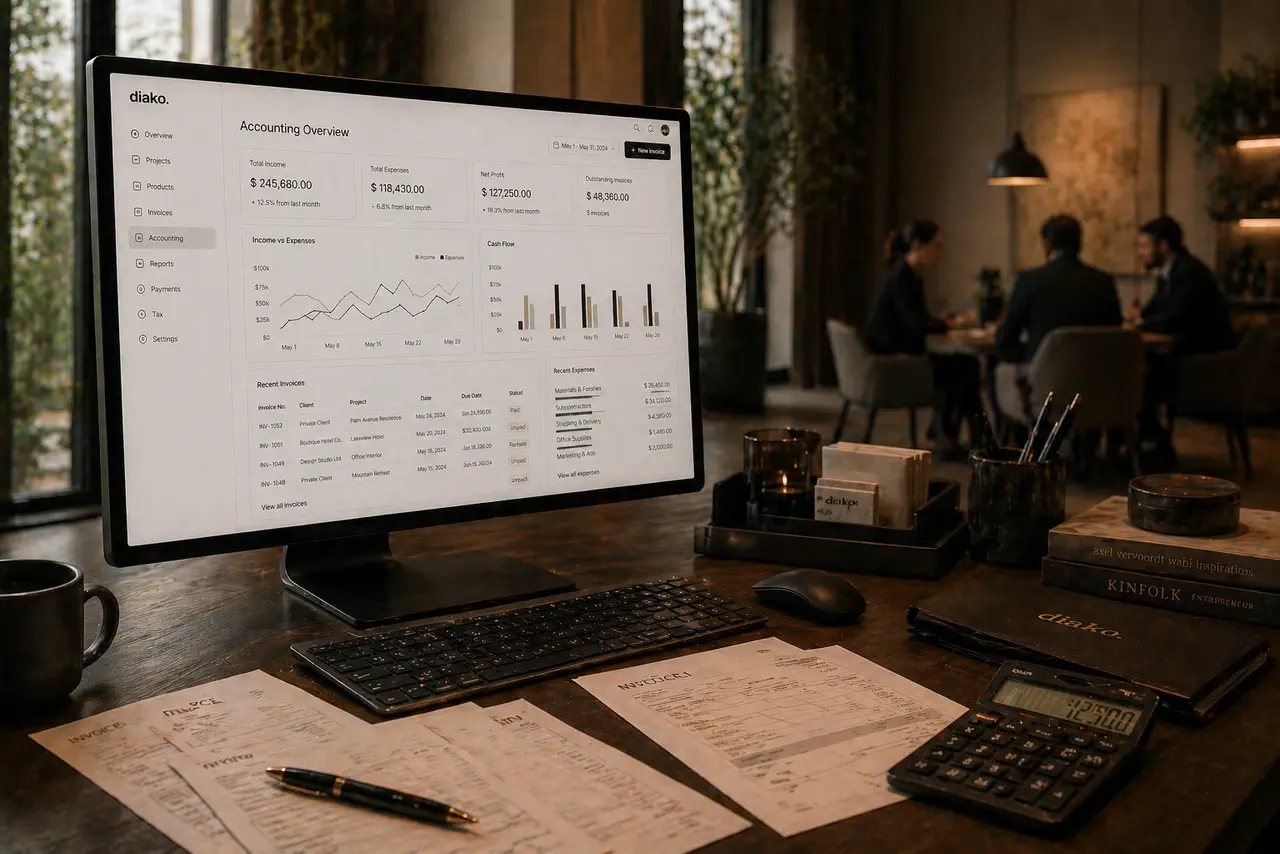
Manage studio accounting with chart of accounts, taxes, invoicing, payments, and ledger visibility in one connected workflow.
Why it matters: Set up company-specific chart-of-account mappings for revenue, tax, receivables, and receiving accounts.
Explore this feature
Run fullscreen showroom, reception, and office TV displays with image playlists, background music, PIN protection, and admin-confirmed updates.
Why it matters: Create one or more named displays, each with its own public link, playback settings, and active or inactive state.
Explore this featureGive clients a polished place to review selections, proposals, and approvals without relying on messy email chains.
Why it matters: Give clients one calm place to review and respond.
Explore this feature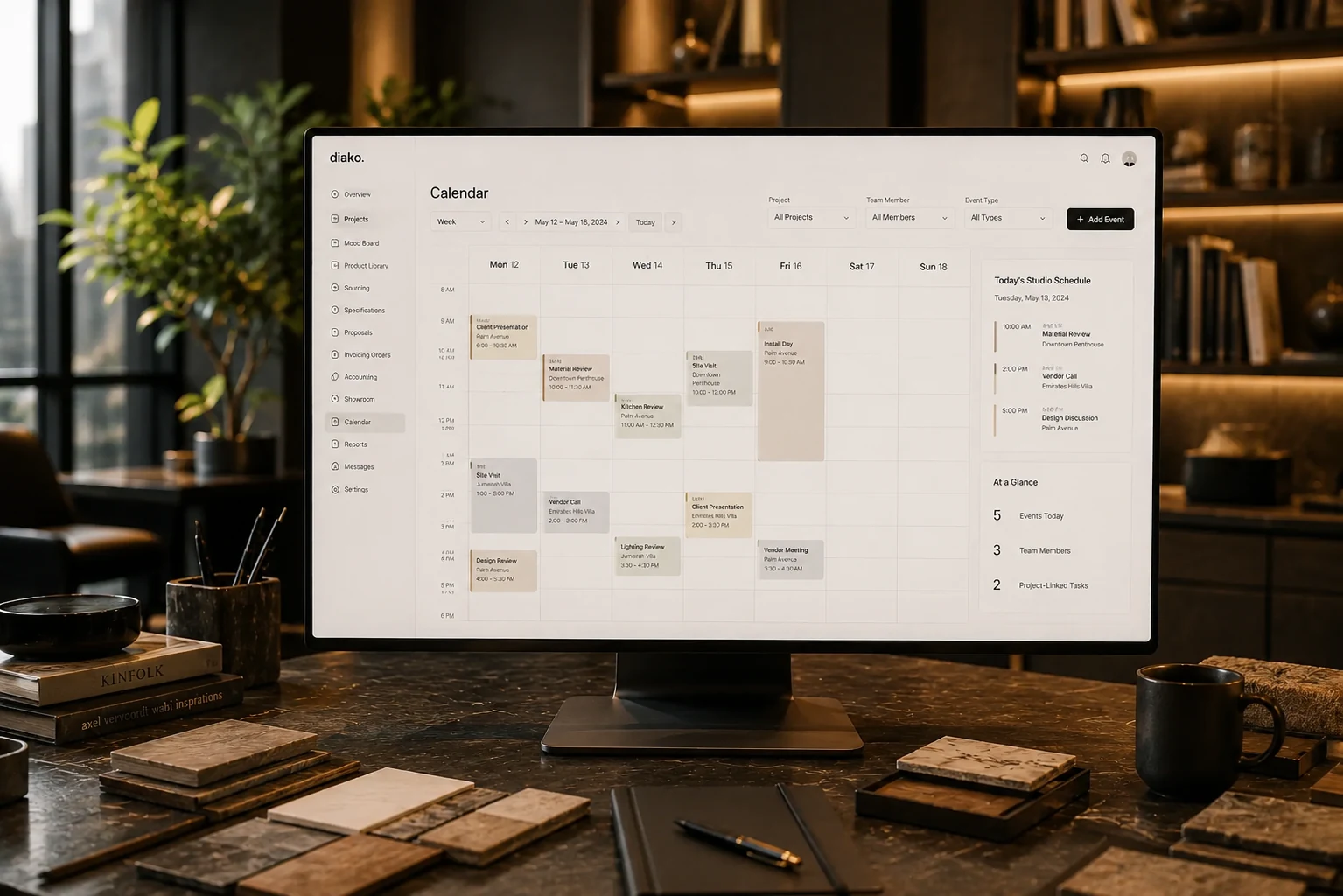
Manage studio scheduling with project-linked events, attendees, task codes, and payroll-connected time tracking in one calendar.
Why it matters: Use a company-wide calendar as the daily dashboard for scheduling, ownership, and team coordination.
Explore this feature
Track studio operations across projects, scheduling, task load, purchasing, invoicing, accounting, and reporting in one interior design business system.
Why it matters: Use a company-wide calendar dashboard as the daily operational home screen instead of piecing together scheduling across separate tools.
Explore this featureHow the workflow works
This is the operational path a studio actually follows. Set up the live project record, organize rooms, add real selections, package decisions for client review, and move approved work into proposals, purchase orders, invoicing, accounting, and next-step tasks without losing context.
Create the live project record with client details, spaces, scope, and internal milestones before the team starts selecting products.
Map rooms or zones, assign working selections, and keep every space ready for focused review instead of one long project list.
Attach furniture, finishes, pricing notes, vendor context, and approval status to each item so the design record is usable later.
Turn room-level selections into a cleaner client presentation with notes, grouped options, and a visible list of decisions that need approval.
Track what the client approved, what still needs revision, and what can move straight into proposals, purchase orders, invoicing, and follow-up tasks.
Client experience
Clients should not have to hunt through attachments to understand what changed, what is approved, or what needs a decision. Diako Studio gives them one review space for selections, proposals, and next steps so the studio looks more organized and the approval process feels calmer.
Internal communication
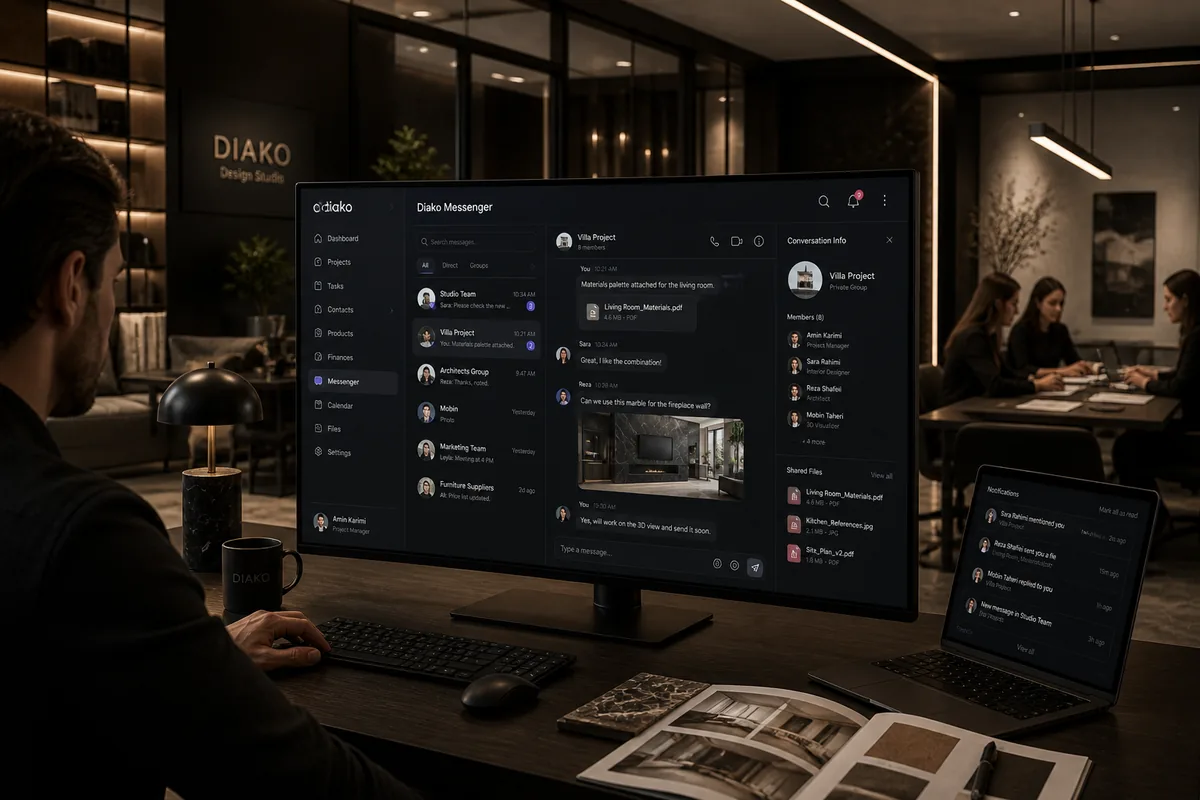
Diako Messenger gives interior design teams a built-in way to coordinate without switching to outside chat apps. Conversations stay company-private, direct messages and invite-only groups stay scoped to the studio, and unread activity stays visible from inside the platform.
Showroom displays
Diako Studio includes a showroom display workflow for studios that want curated visuals running on TVs, reception monitors, or display screens without relying on a separate digital signage tool. Teams can publish slideshows, protect access with a PIN, and push confirmed content live to connected screens automatically.
Studio operations
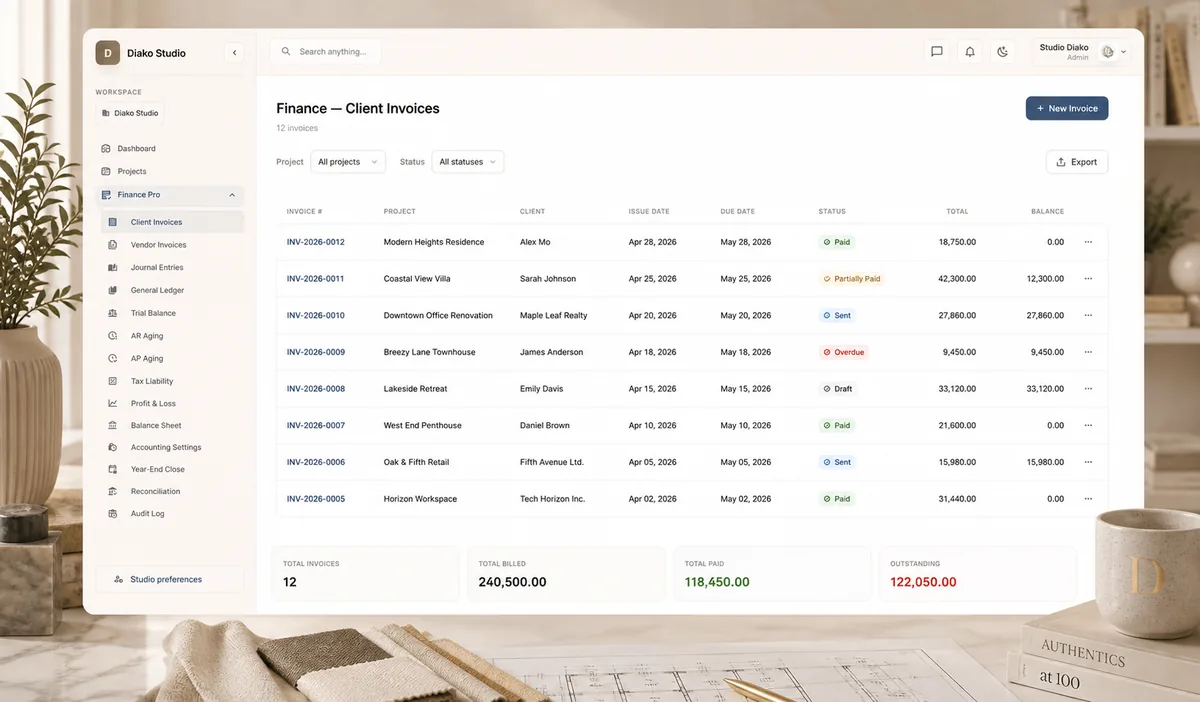
Once selections are approved, the business side should not start over. Diako Studio keeps proposals, purchase orders, invoicing, accounting, and reporting tied to the same project data so the studio can move faster and keep financial follow-through clearer.
Try for free
Create your account and explore project setup, client collaboration, sourcing, specifications, proposals, purchase orders, and invoicing in one connected system.
FAQ
Short answers for teams comparing project management, client portal workflow, selections, proposals, purchase orders, invoicing, accounting, and the business side of the studio.
It is software built around how interior design studios actually run projects: rooms, selections, client decisions, sourcing, proposals, purchase orders, invoicing, and team follow-up. The goal is to keep creative and operational work in one system instead of stitching together generic tools.
Yes. Diako Studio is designed so approved project information can move into proposals, purchase orders, and invoicing without forcing the team to rebuild the same line items in separate tools.
Yes. The platform includes a client-facing review experience where studios can share selections, proposals, approvals, and next steps in a format that feels more polished than email attachments and disconnected PDFs.
Yes. Diako Studio helps studios organize selections, product details, specifications, FF&E-style schedules, and sourcing information so design decisions stay usable from early review through procurement.
It is built for professional interior design businesses, from independent designers to growing studios and established firms that need stronger structure around both client work and operations.
Yes. Mood boards can live in the same system as selections, sourcing, proposals, purchase orders, invoicing, accounting, and reporting, so the project does not have to be recreated later.
Diako Studio currently supports personal accounting workflows for solo designers and owner-operators, plus company accounting workflows for shared studio teams. QuickBooks integration is part of the roadmap, but it is not available in the current product yet.
It includes more than invoicing. Studios can manage chart-of-account mappings, tax settings, journal-based financial logic, payment handling, and general-ledger-style visibility inside the same workflow that produces proposals and invoices.
No. QuickBooks integration is planned for a later phase. Right now the platform focuses on native personal and company accounting workflows inside Diako Studio itself.